 Mortise Apps
 ConfluenceTeamLens for Confluence
How do you show Jira team workload on a Confluence page?
To show how much Jira work each team holds on a Confluence page, you have two native options: a Jira chart macro (pie or two-dimensional) that splits work by assignee or status, and a Jira work items macro with one JQL query per team in count or list view. Neither groups work by the Atlassian Team field in one table, so a per-team view natively means one query per team.
Short answer: for one team, insert the Jira work items macro with JQL such as"Team[Team]" = <team id> AND statusCategory != Doneand pick the count view. Repeat it per team in a small table, and add a second count withAND due < now()for overdue work. For a single live table of every team, use a report macro.
Checked 30 Oct 2026: Atlassian Support pages "Insert the Jira chart macro", "Display Jira work items in a list" and "JQL fields", read 30 Oct 2026, plus the Atlassian Developer page on the Team field (read 29 Oct 2026). We have not built the pages below on a live site for this article; the steps follow those pages.
What the Jira chart macro can split by
Atlassian lists three chart types for the macro: pie, created vs resolved and two-dimensional. The pie chart's "statistic type" can be status, fix version, assignee name, priority, component or issue type. The two-dimensional chart uses the same fields for its X and Y axes, with a "rows to display" limit.
So the closest native workload picture is a two-dimensional chart with Assignee as rows and Status as columns, fed by a JQL query for the team's projects. It shows people, not teams. The Team field is not in either list, so a pie of "open work by team" is not possible with this macro.
One more note from Atlassian's page: if the query includes work items that anonymous users cannot see, readers are prompted to authenticate to view the chart.
A per-team count table with the Jira work items macro
The Jira work items macro (type /jira in the editor, or paste a Jira search URL) can show a list, a single work item, or a count of the work items your search returns. You can switch its search to JQL.
- Find each team's team id: open the team's profile page and copy the last part of the URL after
/team/. JQL compares the Team field by id, not by name. - Make a Confluence table with one row per team and the columns Open and Overdue.
- In each Open cell, insert the macro in count view with: ``
project in (ABC, DEF) AND "Team[Team]" = <team id> AND statusCategory != Done`` - In each Overdue cell, use the same query with
AND due < now()added. Atlassian's JQL fields page lists<and<=among the operators theduefield supports. - Add a row for work with no team:
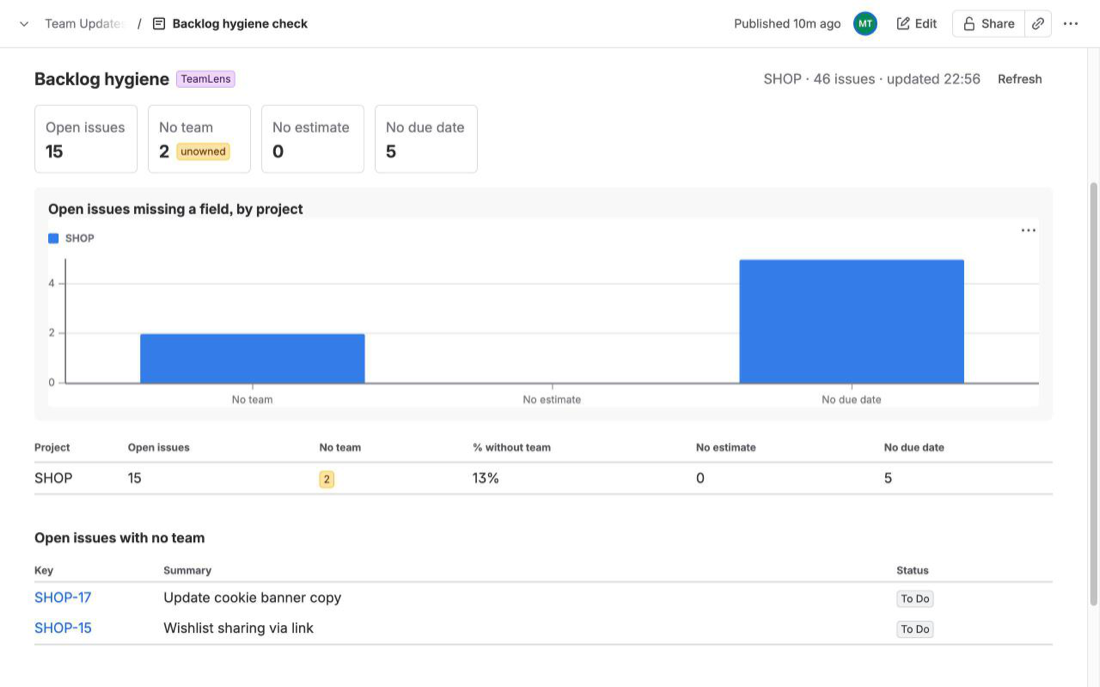
project in (ABC, DEF) AND "Team[Team]" IS EMPTY AND statusCategory != Done. Unassigned work is often where the real load hides.
This stays live: each count reruns when the page is opened. The cost is upkeep. A new team means a new row and two new macros, and the table has no "in progress" versus "to do" split unless you add more columns and queries.
A live per-team workload table
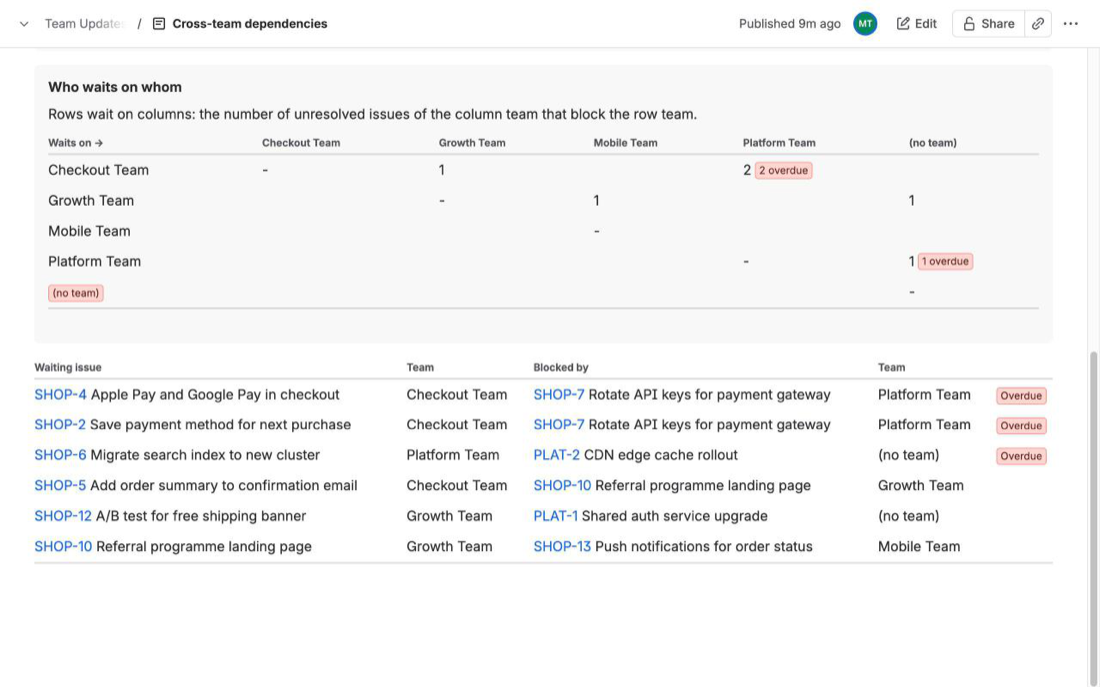
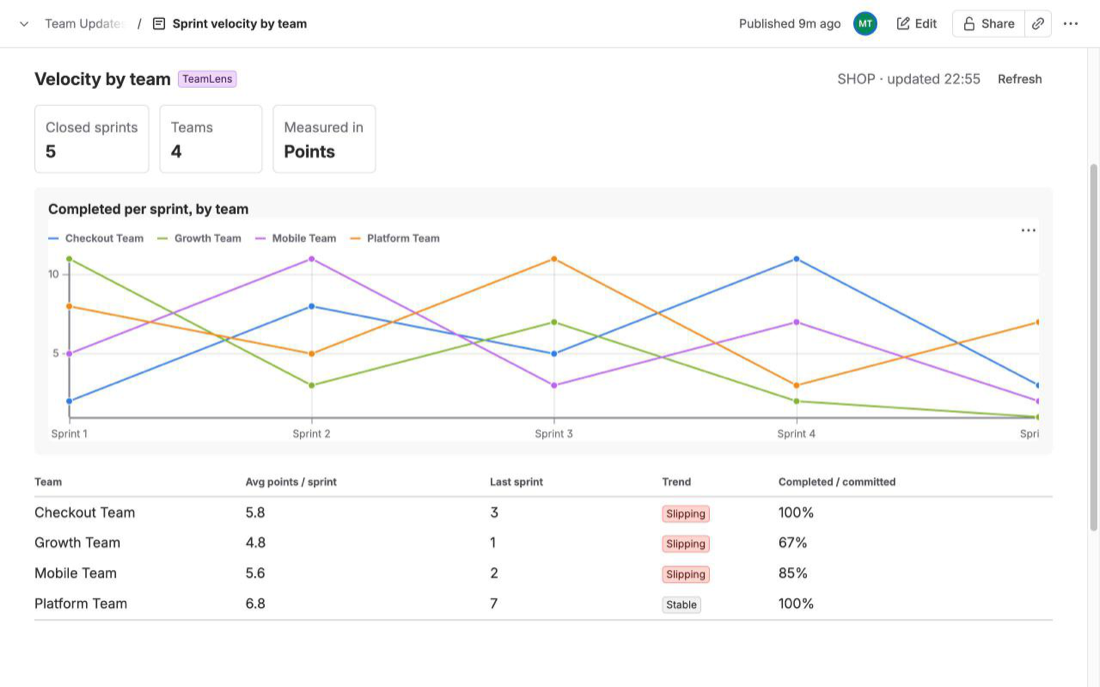
We make TeamLens for Confluence, a macro that adds a Workload report to a Confluence page. You set the scope once (Jira projects or a JQL query), optionally limit it to some Atlassian teams, and the page shows one row per team:
- To do, In progress and Done (30 days) counts by status category, plus a stacked chart per team (or story points instead of counts).
- Blocked: open work items flagged in Jira or in a status whose name contains "block".
- Overdue: open work items whose due date has passed.
- Open points when a story points field exists, and a (no team) row at the bottom.
Its limits, from the docs: up to 3,000 work items per macro, the Confluence page must be on the same site as Jira, readers without Jira access see a "No access to Jira" message, and PDF or Word exports do not include the live report. The full column rules are in the workload report docs. If you have two or three teams, the native count table above is enough.
FAQ
Can the Jira chart macro group work by Atlassian team?
No. On Atlassian's page the pie chart's statistic types and the two-dimensional chart's axes are status, fix version, assignee, priority, component and issue type. Team is not one of them.
Why does my team query return nothing?
The Team field compares by team id. A query with the team's display name will not match. Copy the id from the team's profile URL.
Does the count update by itself?
Yes. The Jira work items macro runs its search when the page loads, so the count reflects Jira at that moment. A pasted screenshot does not.
Related reading: Show Jira work by team on a Confluence status page, Four native ways to put Jira reports in Confluence and Set the Jira Team field with the REST API.
Sources
- Insert the Jira chart macro, Atlassian Support - chart types, pie statistic types, two-dimensional axes and rows to display, authentication prompt. Read 30 Oct 2026.
- Display Jira work items in a list, Atlassian Support - inserting with
/jiraor a search URL, JQL search, list, single item and count views. Read 30 Oct 2026. - JQL fields, Atlassian Support -
duefield operators;statusCategory = Doneas resolved. Read 30 Oct 2026. - Team field in Jira REST API, Atlassian Developer - team id from the profile URL, JQL operators for the Team field. Read 29 Oct 2026.
- TeamLens for Confluence: Workload report - columns and definitions.