 Mortise Apps
 ConfluenceLive
TeamLens for Confluence
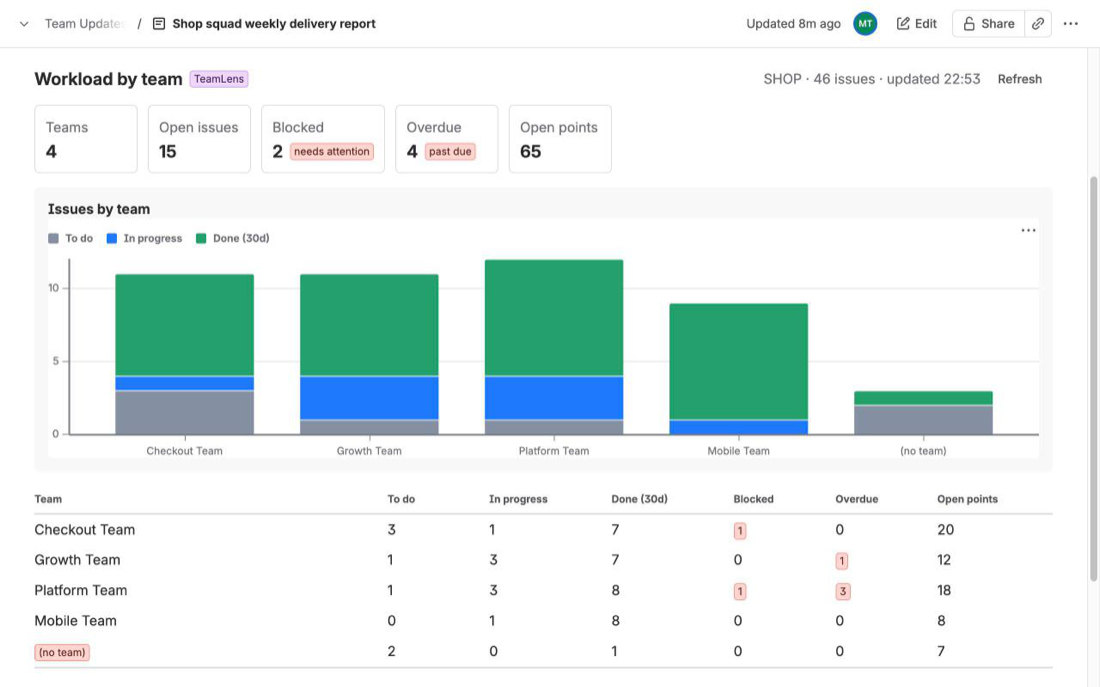
A macro that puts live Jira team reports into any Confluence page: workload, aging, hygiene, velocity and cross-team dependencies, grouped by the Atlassian Team field.
Confluence · 2 apps
Two macros that put live Jira data into Confluence pages: team reports grouped by the Atlassian Team field, and dependency graphs of issue links. The page is correct every time it is opened, because the macro reads Jira on the same site as the person viewing it.
The badge shows where each Atlassian Marketplace listing stands.
ConfluenceLive
A macro that puts live Jira team reports into any Confluence page: workload, aging, hygiene, velocity and cross-team dependencies, grouped by the Atlassian Team field.
ConfluenceLive
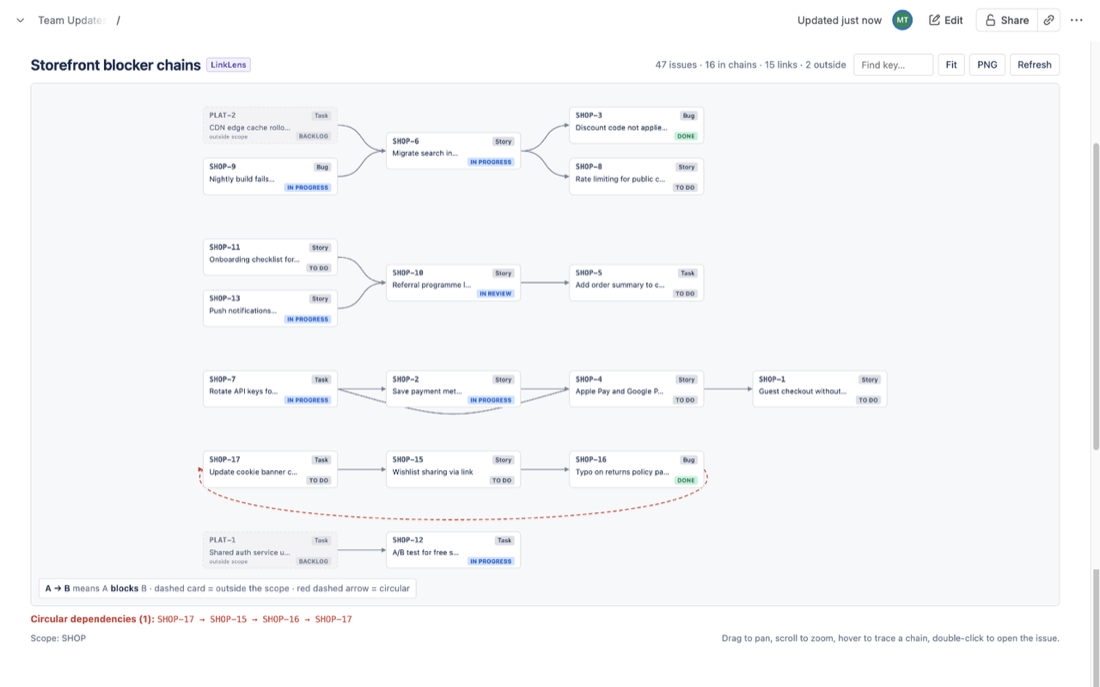
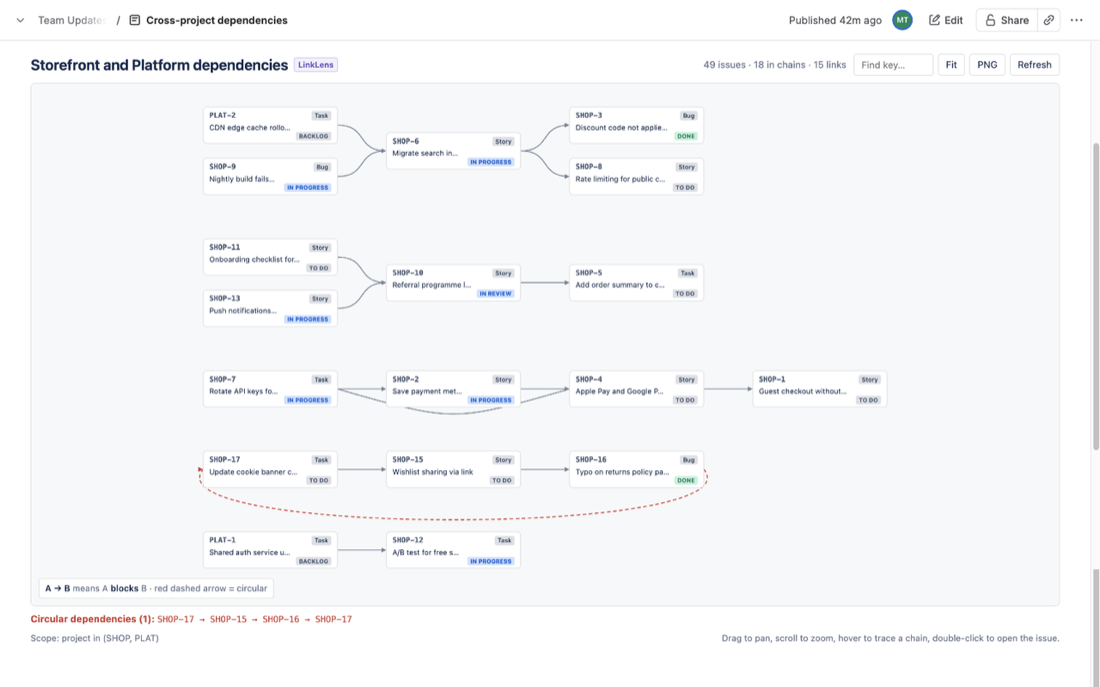
A macro that embeds the live Jira dependency graph in a Confluence page: blocker chains of one link type, loops in red, cross-project ends, PNG export.
Built on Atlassian Forge with one read-only Jira scope. The macros have no backend and store nothing; their settings are saved by Confluence inside the page like any other macro parameter.
About the apps on Confluence.
No. Each Confluence app connects to Jira on the same Atlassian site by itself. TeamLens for Jira and LinkLens for Jira are separate apps and are not required.
They read Jira issues with a single read-only scope, as the person viewing the page, so Jira permissions apply. They store nothing: the macro settings live in the Confluence page.
A site admin connects the app to Jira once under Manage apps. After that, type the app's slash command in the editor (/TeamLens or /LinkLens), pick the report or the link type and the scope, and publish.
Free for sites with up to 10 users. Paid tiers above that are billed by Atlassian; the rates are published on each Marketplace listing once it is approved.
Questions teams asked, answered with sources: what Confluence does natively, what it does not, and where an app fits.
ConfluenceTeamLens for Confluence
A JQL due-date filter in the Jira work items macro lists overdue work for one team at a time; the Jira chart macro's listed fields do not include Team. What works natively, the exact JQL, and a live overdue count per team. Checked 9 Nov 2026.
ConfluenceLinkLens for Confluence
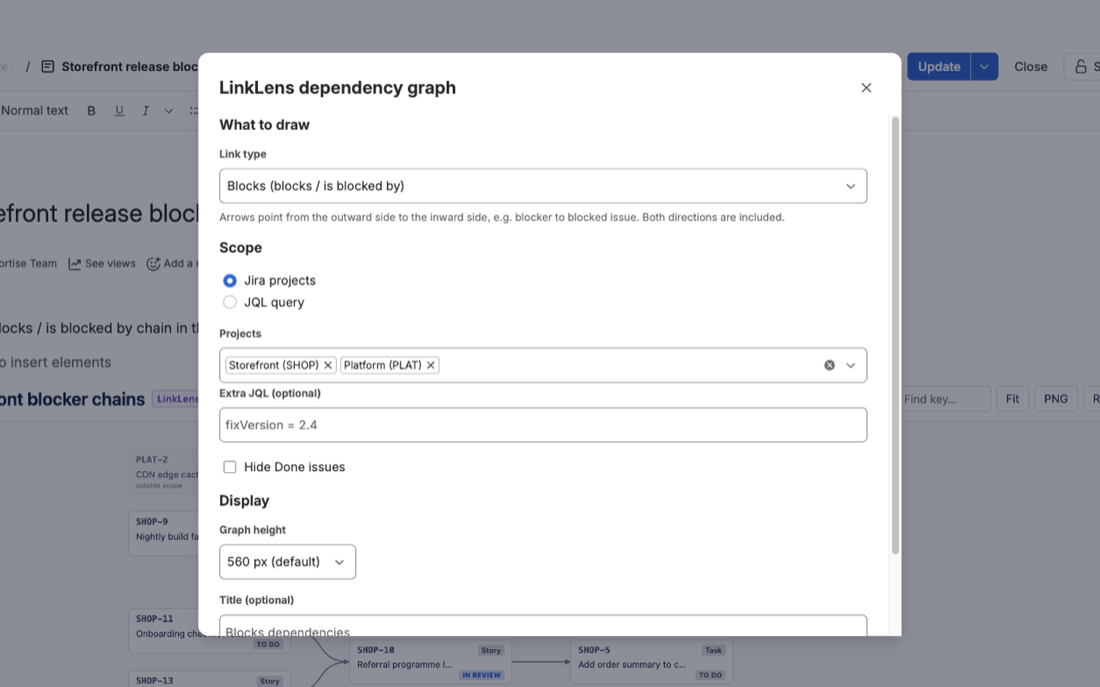
Three ways to put the dependencies between teams on the Confluence page you use for PI or quarterly planning: Jira work items macros with link JQL, an embedded Jira plan (Premium and Enterprise), or a dependency graph macro. What each one shows and where it stops. Checked 5 Nov 2026.
ConfluenceTeamLens for Confluence
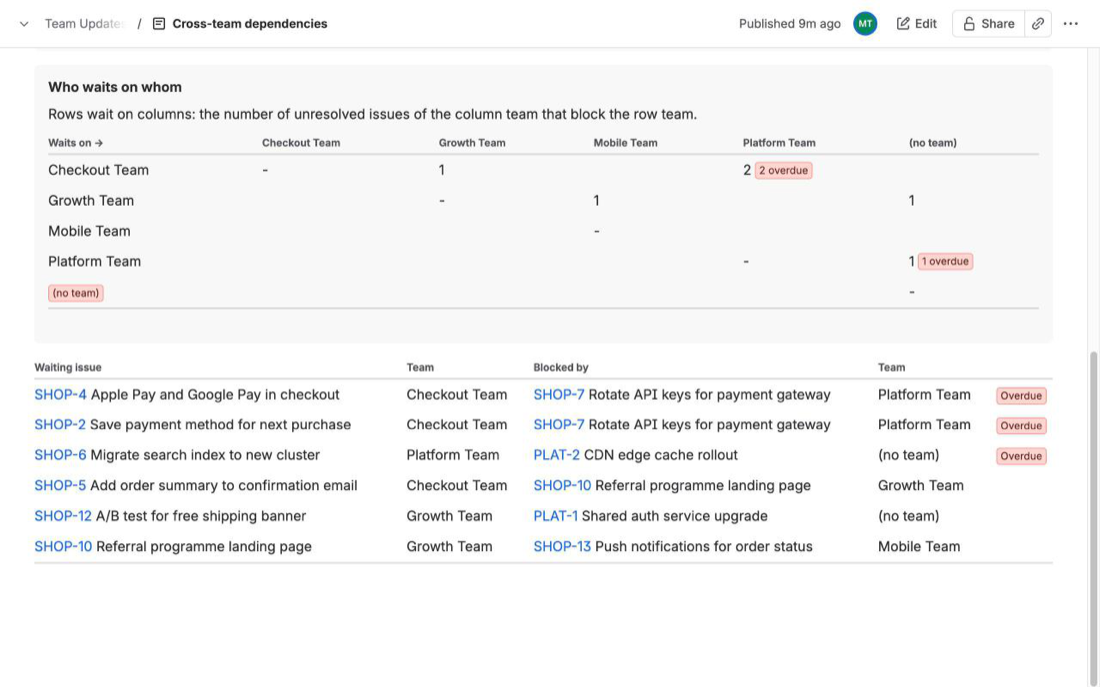
JQL can find the work items linked to one item, but it cannot compare the Team field at both ends of a link. What the native Jira work items macro can show, a per-item blocker list, and a live who-waits-on-whom table by team. Checked 4 Nov 2026.
ConfluenceLinkLens for Confluence
JQL can find work items that have an "is blocked by" link, but not where the blocker lives. What the Jira work items macro can show on a Confluence page, the workItemLink and linkedWorkItems() workarounds, and when a graph helps. Checked 31 Oct 2026.
ConfluenceTeamLens for Confluence
Native Confluence macros chart Jira work by assignee or status, not by Atlassian team. What the Jira chart and Jira work items macros can show, the JQL for one team's open and overdue work, and a live per-team workload table. Checked 30 Oct 2026.
ConfluenceLinkLens for Confluence
A Jira work items macro with project = ABC AND sprint in openSprints() AND workItemLinkType = "is blocked by" keeps a stand-up or sprint review page current. What it shows, what it misses (the blockers, chains, other teams) and when a graph helps. Checked 24 Oct 2026.
The same approach, where else your team works.

Team reports and dependency graphs inside Jira Cloud.

Every dependency chain on a board as one graph.

Next platform, in development.
Coming
Questions about the Confluence apps: support@mortiseapps.com, reply within one business day. All products →