 Mortise Apps
 monday.comIn review
LinkLens Dependency Map
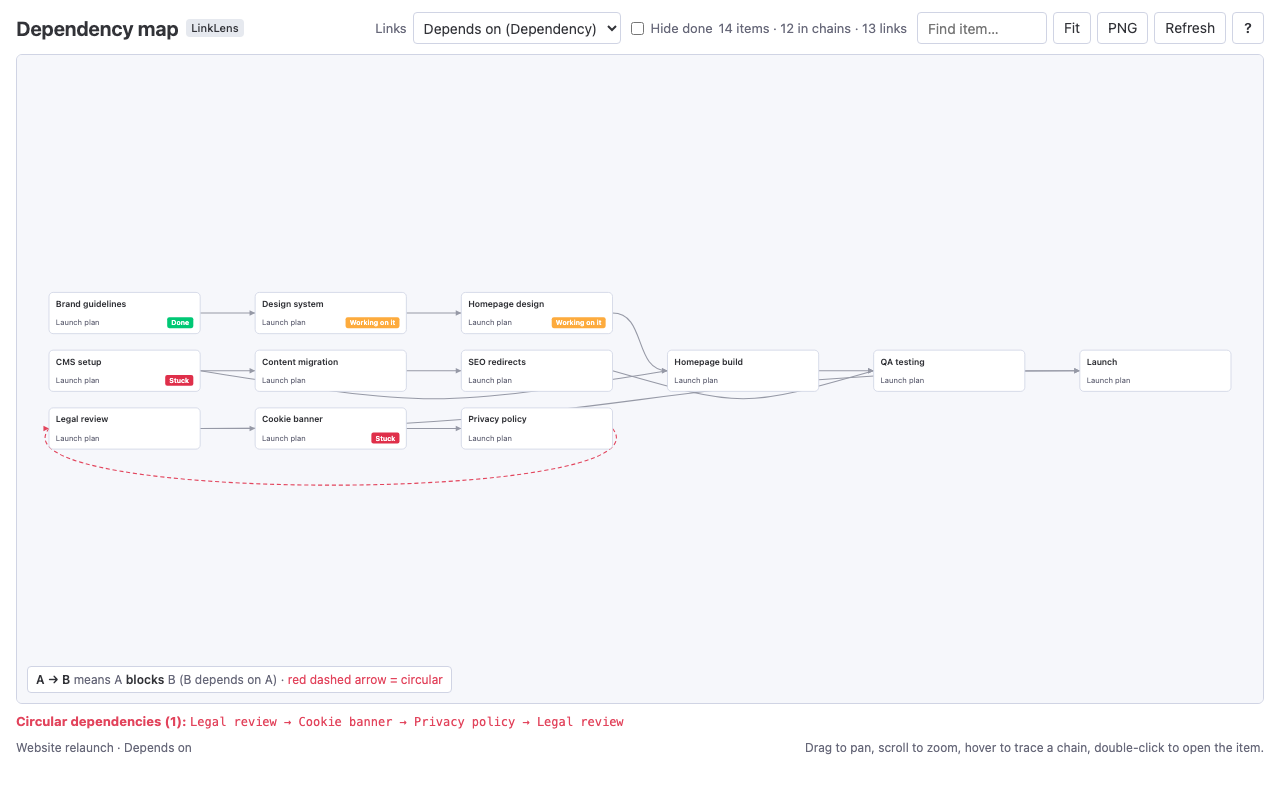
A monday.com board view that draws Dependency and Connect boards links as one graph: whole chains, loops in red, items on other boards, and a downloadable dependency health report.
monday.com · 1 app
One board view for monday.com so far. LinkLens Dependency Map draws the links in a Dependency or Connect boards column as one graph: whole chains, loops in red, items on other boards, and a dependency health report you can download.
The badge shows where each monday.com marketplace listing stands.
monday.comIn review
A monday.com board view that draws Dependency and Connect boards links as one graph: whole chains, loops in red, items on other boards, and a downloadable dependency health report.
The map and the report are calculated in your browser from the monday.com API, as the person viewing the board. The Sidekick tool runs on monday code, monday.com's own app hosting. Only the view's settings are kept, in monday.com's app storage; no board data is sent to us.
About the apps on monday.com.
Any plan that has Dependency or Connect boards columns. It does not need monday.com's Enterprise cross-project dependencies.
No. It is read-only and reads items as the person viewing the board, so nobody sees items they could not already see. Viewers and guests can use it too.
In your browser. The map and the health report are calculated there; the Sidekick answers run on monday code, monday.com's own hosting. No board data is sent to Mortise Apps or to any AI provider.
Yes. The product page has a direct install link for your monday.com account; the marketplace listing replaces it once monday.com approves it.
Questions teams asked, answered with sources: what monday.com does natively, what it does not, and where an app fits.
monday.comLinkLens Dependency Map
The Dependency column and the Gantt view show one link at a time. How to see whole chains, catch loops and get a dependency health report on any monday.com board.
The same approach, where else your team works.

Team reports and dependency graphs inside Jira Cloud.

Live Jira team reports and dependency maps in Confluence pages.

Next platform, in development.
Coming
Questions about the monday.com apps: support@mortiseapps.com, reply within one business day. All products →