 Mortise Apps
TeamLens for Jira
Jira dashboards, reports and JQL for the Atlassian Team field
TeamLens makes the native Team field usable where Jira leaves it half-finished: group any filter by team on a dashboard, search by team name with teamIn(), and find unowned work with noTeam().
The Team field problem in Jira Cloud
Atlassian asks every Plans customer to use the native Team field, then leaves it unsupported in the places managers look.
Not in dashboard gadgets
Pie Chart, Issue Statistics and Two Dimensional Filter Statistics cannot group by Team. Atlassian ticket JRACLOUD-87808 has been open since 2020 with 600+ votes.
Not searchable by name
JQL needs the team's UUID: "Team[Team]" = 36885b3c-1bf0-…. Nobody remembers that, and JQL cannot ORDER BY Team at all.
Unowned work hides
Issues with no team vanish from team views. There is no built-in "no team" report, so nothing catches them.
The usual workaround is fragile
Mirror the Team into a select-list custom field with Automation, then keep it in sync forever. Admins call it "very load heavy".
What TeamLens adds to Jira
Four focused capabilities. Nothing is written to your issues.
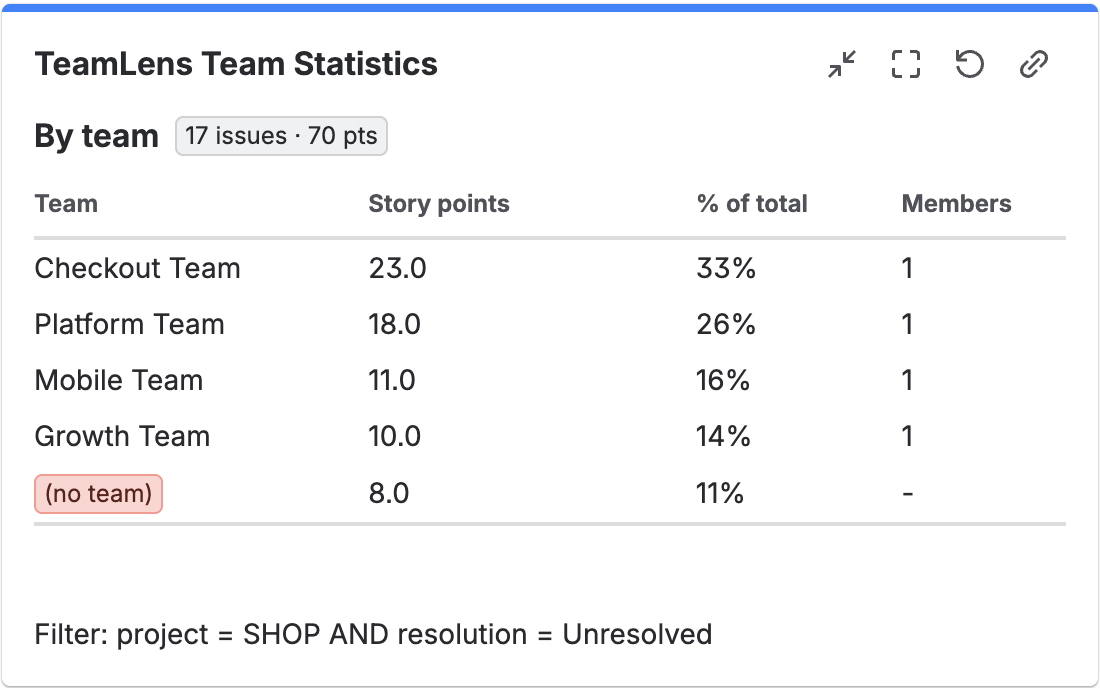
Team Statistics gadget
Any JQL, grouped by Team. Count issues or sum story points, see each team's share and size, and get an explicit (no team) row so nothing silently disappears.
project = SHOP AND sprint in openSprints()teamIn() JQL function
Search by team name, case-insensitive, with a trailing wildcard. Works in filters, boards, JSM queues and Automation.
issue in teamIn("Checkout Team", "Platform*")
issue not in teamIn("Checkout Team")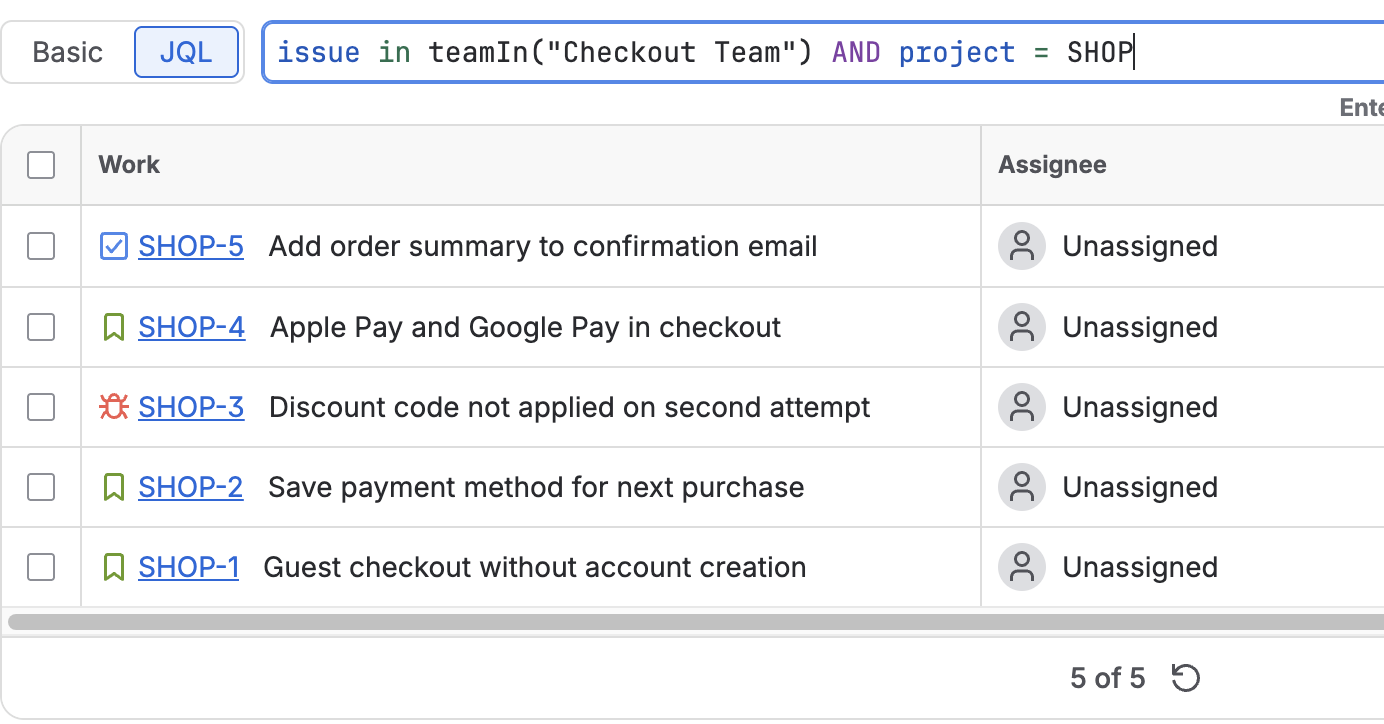
noTeam() JQL function
Find every issue that no team owns. Pair it with a scheduled Automation rule and the backlog stays clean.
issue in noTeam() AND statusCategory != Done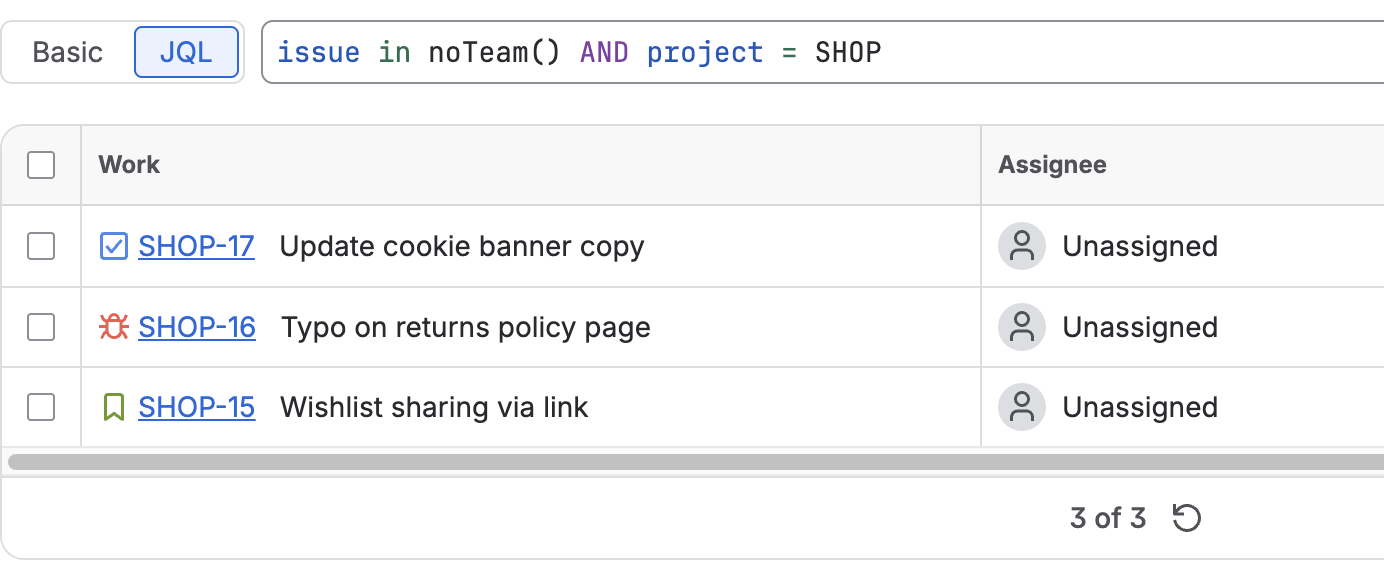
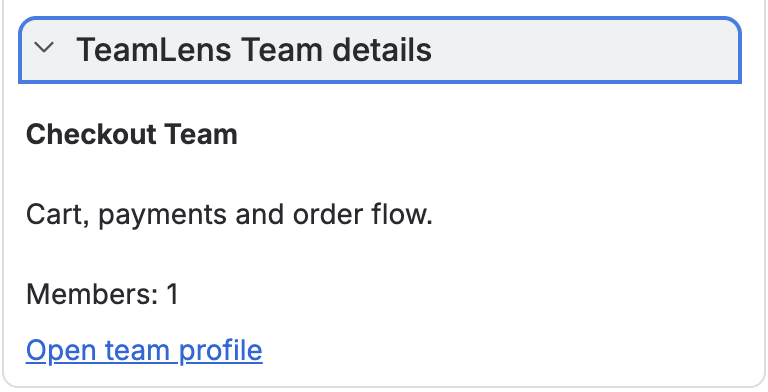
Team details on every issue
A panel showing the assigned team's description and size, with a link to the team profile.
Native Jira vs TeamLens
What changes once TeamLens is installed.
| Capability | Native Jira Cloud | With TeamLens |
|---|---|---|
| Group a dashboard gadget by Team | No | Yes |
| Sum story points per Team | No | Yes |
| JQL by team name | UUID only | teamIn("Name") |
| Wildcard team search | No | teamIn("Platform*") |
| Find issues with no Team | "Team[Team]" is EMPTY | noTeam() |
| Team description and size on the issue | Hover only | Panel |
| Read team member lists | Admin UI only | Blocked for all apps (JRACLOUD-92072) |
What Jira admins say
Reviews come from the Atlassian Marketplace listing. We never write our own.
Read or write a review on the Marketplace
Pricing
Billed by Atlassian on your Jira invoice. Cancel any time from Jira administration.
Small teams
Sites with up to 10 Jira users. Every feature included.
Everyone else
Volume discounts apply automatically. 30-day free trial. Roughly $50 for a 50-user site, about $275 for 500 users.
Why so cheap?
TeamLens fixes a gap Atlassian should close. We price it so it is never the first app cut from a budget, and Runs on Atlassian keeps our costs low.
Frequently asked questions
Straight answers, including what the app cannot do.
Why can't I use the Team field in Jira dashboard gadgets?
Jira's native gadgets (Pie Chart, Issue Statistics, Two Dimensional Filter Statistics) do not list the Atlassian Team field as a statistic type, and JQL cannot order by it. Atlassian tracks this as JRACLOUD-87808 and JRACLOUD-87800, open since 2020. TeamLens adds a Team Statistics gadget that groups any JQL filter by team.
How do I search Jira issues by team name instead of team id?
Install TeamLens and use issue in teamIn("Team Name"). Native JQL requires the team's UUID. teamIn() resolves names, including a trailing * wildcard, and supports not in.
How do I find Jira issues with no team assigned?
Use issue in noTeam(). Combine with statusCategory != Done to see only open work that no team owns.
Does TeamLens work with Jira Plans (Advanced Roadmaps)?
Yes. Plans writes the same native Team field that TeamLens reads, so the gadget and JQL functions reflect your Plan's team assignments.
Does it work in Jira Service Management queues?
Yes. teamIn() and noTeam() work in queue JQL. A myTeams() function for per-agent queues is planned and depends on an Atlassian API change.
Can TeamLens show who is in a team, or notify a whole team?
Not yet. Atlassian does not let Marketplace apps read team member lists (tracked as JRACLOUD-92072). TeamLens shows team size. Member-level features ship when the platform allows them.
Does any data leave my Atlassian site?
No. TeamLens runs entirely on Atlassian's Forge platform with no external servers and stores nothing. It reads issues as the person viewing them, so Jira permissions are always respected.
How much does TeamLens cost?
Free for sites with up to 10 users. Above that, USD 1 per user per month with volume discounts, billed by Atlassian with your Jira subscription. A 30-day free trial starts automatically.
Which Jira products does it support?
Jira Cloud: Jira Software, Jira Work Management and Jira Service Management, in both team-managed and company-managed projects. It is not available for Jira Data Center.
Known limitation. Apps cannot read Atlassian Team membership yet. We publish exactly what that blocks on the limitations page and will ship member-level features the day Atlassian opens the API.
Make the Team field work for your dashboards
Free for 10 users. Installs in under a minute. Runs on Atlassian.
Get TeamLens on the Atlassian Marketplace