 Mortise Apps
 JiraLinkLens for Jira
How do you create, read and delete a Jira issue link with the REST API?
To create a dependency between two Jira Cloud work items from a script, send POST /rest/api/3/issueLink with a link type (type.name or type.id), an inwardIssue and an outwardIssue. A successful call returns 201 with no body, so to find the new link's ID you read one of the two work items back with ?fields=issuelinks. Reading a single link is GET /rest/api/3/issueLink/{linkId} and removing it is DELETE /rest/api/3/issueLink/{linkId}. All three need issue linking switched on for the site.
Checked 6 Nov 2026: everything below comes from Atlassian's Jira Cloud platform REST API v3 reference (the "Issue links" and "Issue link types" groups and their OpenAPI spec), read 6 Nov 2026. We did not run these calls against a live site for this article. The API still says "issue" where the Jira screens now say "work item".
The four calls you need
| Goal | Call | Success | Permission (Atlassian's wording) |
|---|---|---|---|
| List the link types on the site | GET /rest/api/3/issueLinkType | 200 | Browse projects for a project in the site |
| Create a link | POST /rest/api/3/issueLink | 201, empty body | Browse project for all projects containing the issues, and Link issues on the project of the from (outward) issue |
| Read one link | GET /rest/api/3/issueLink/{linkId} | 200 | Browse project for all projects containing the linked issues |
| Delete a link | DELETE /rest/api/3/issueLink/{linkId} | 204 | Browse project for all projects in the link, and Link issues for at least one of them |
If issue-level security is configured, the caller also needs permission to view the issues involved.
Step 1: find the exact link type name
Link types differ from site to site (admins rename and add them), so start with GET /rest/api/3/issueLinkType. Each type in the response has an id, a name, an inward description and an outward description. On the default Blocks type those are "Blocks", "is blocked by" and "blocks", the same three properties our blocks vs is blocked by vs depends on post describes. When you create a link you pass either the name or the id, not the descriptions.
Step 2: create the link
POST /rest/api/3/issueLink
{
  "type": { "name": "Blocks" },
  "inwardIssue": { "key": "SHOP-12" },
  "outwardIssue": { "key": "API-7" }
}
You can add an optional comment object (Atlassian Document Format, with optional visibility); Atlassian's reference says it is added to the from (outward) issue. A few behaviours from the reference that are easy to miss:
- No body on success. The 201 tells you the link exists, nothing more.
- Duplicates still say "created". If the same link already exists the response still reports success, and a comment in the request is still added. A retry loop will not create a second link, but it can add a second comment.
- A comment problem cancels the link. A 400 means the comment was not created, and the issue link was not created either.
- There is a per-issue limit. A 413 means the per-issue limit for issue links has been breached.
- 404 has several meanings: issue linking is disabled, or the caller cannot view one or both work items.
Get the direction right before you run it at scale
The request has two slots, and it is easy to put the blocker in the wrong one. Atlassian's reference does not spell out, for each link type, which slot ends up showing the outward text ("blocks") and which the inward text ("is blocked by"). The safe habit is to create one test link, open both work items in Jira and check that the blocker shows blocks and the blocked item shows is blocked by, then run the rest. If it is backwards, swap inwardIssue and outwardIssue in your script, not the link type.
Step 3: read the link back (and get its ID)
Because the create call returns nothing, Atlassian's reference points you to GET /rest/api/3/issue/{key}?fields=issuelinks. Each entry in issuelinks has an id, a type, and either an inwardIssue or an outwardIssue, which is the work item on the other end. The reference's guidance for showing it: when the entry carries an outwardIssue, label it with the type's outward text; when it carries an inwardIssue, use the inward text. That is how Jira itself reads "blocks API-7" on one side and "is blocked by SHOP-12" on the other.
With the id you can call GET /rest/api/3/issueLink/{linkId} for that single link, or delete it.
Step 4: delete a link
DELETE /rest/api/3/issueLink/{linkId} returns 204. It removes the link from both work items, because Jira stores one link with two labels. A 400 means the ID is not valid; a 404 means linking is disabled, the link was not found, or you lack the permissions above.
OAuth scopes
| Call | Classic scope | Granular scopes (marked beta in the spec) |
|---|---|---|
| Create link | write:jira-work | write:issue-link:jira, write:issue:jira, write:comment:jira |
| Delete link | write:jira-work | delete:issue-link:jira |
| Get link | read:jira-work | read:issue-link-type:jira, read:issue:jira and other read scopes |
| List link types | read:jira-work | read:issue-link-type:jira |
Creating a new link type is a different call (POST /rest/api/3/issueLinkType), needs the Administer Jira global permission and the manage:jira-configuration scope. The no-code route for that is in add a custom link type in Jira Cloud.
Seeing the links you created
Scripts are good at creating hundreds of links and bad at showing what they add up to. Native options first: JQL such as issue in linkedWorkItems("SHOP-12") lists one item's links (see linked work items with JQL), and the timeline draws Blocks links inside one space (see why dependencies are not showing on the timeline).
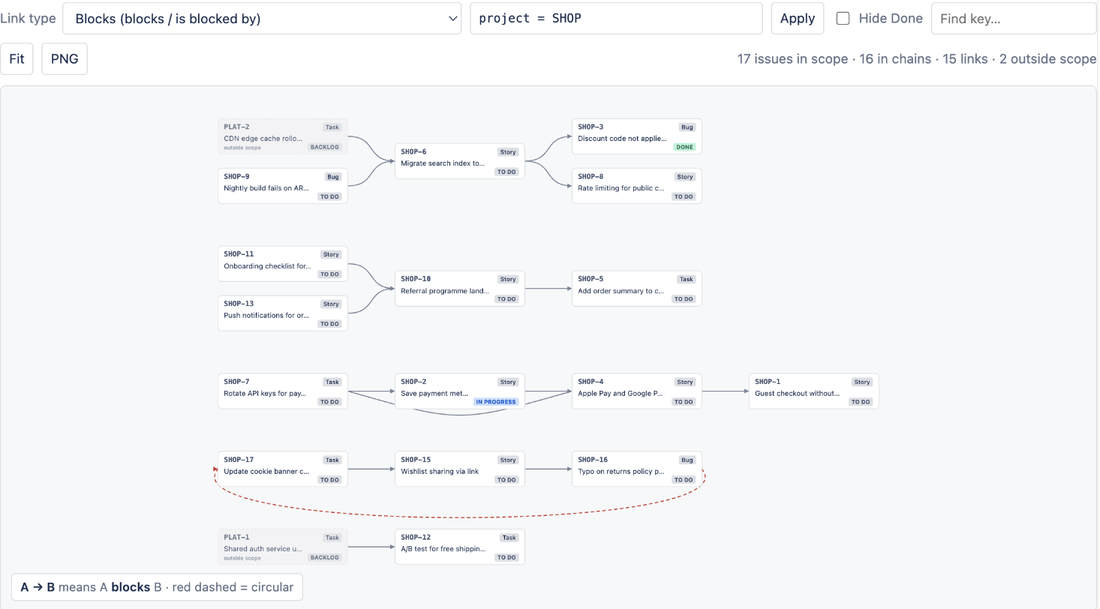
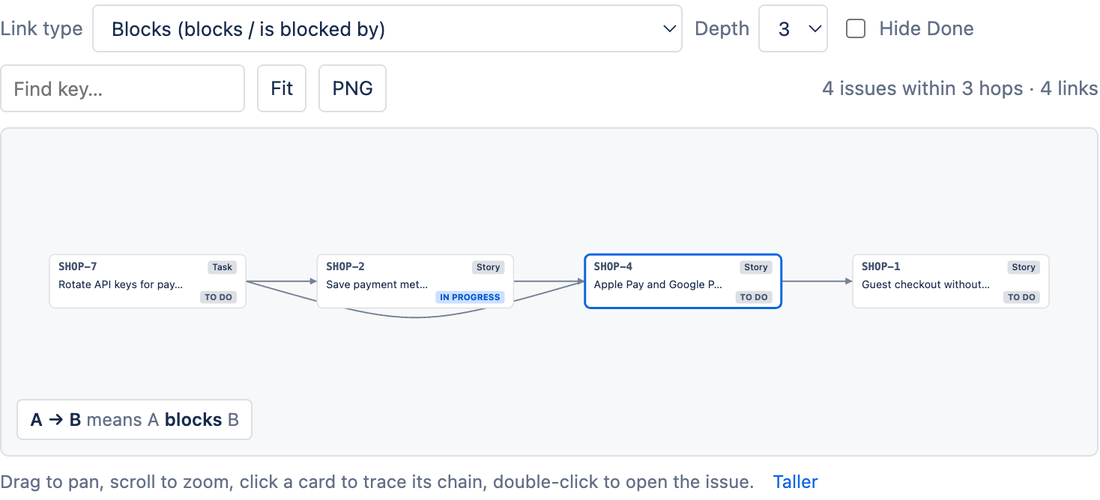
LinkLens for Jira, which we make, reads the same issue links and draws them as a graph: the work item panel shows one item's chain, and a project's Dependencies page draws every chain of one link type, across spaces, with loops marked in red. It only reads links; it never creates or changes them, so your script stays the one source of change.
LinkLens is on the Atlassian Marketplace. Related reading: see the whole blocker chain and circular dependencies in Jira.
FAQ
Why does POST /rest/api/3/issueLink return no link ID?
Atlassian's API returns nothing on creation by design. Read either work item with ?fields=issuelinks and take the id of the matching entry.
What permission does a script need to link Jira work items?
Browse project on every project involved, plus Link issues on the project of the from (outward) work item. Deleting needs Link issues on at least one of the projects.
Why do I get a 404 when creating an issue link?
Either issue linking is switched off for the site, or the account cannot view one or both work items (no Browse project permission, or issue-level security hides it).
Is creating the same issue link twice an error?
No. The API reports the duplicate as created, and adds the comment again if the request had one.
Sources
- Issue links (REST API v3), Atlassian Developer - create, get and delete calls, permissions, empty 201 body and the
fields=issuelinksread-back, duplicate and comment behaviour, 400/404/413 meanings, OAuth scopes, inward/outward labelling guidance. Read 6 Nov 2026. - Issue link types (REST API v3), Atlassian Developer - listing link types (id, name, inward, outward), creating a type needs Administer Jira. Read 6 Nov 2026.