 Mortise Apps
 JiraLinkLens for Jira
How do I add a custom link type in Jira Cloud?
To add a custom link type in Jira Cloud, a Jira admin opens Settings > Work items > Work item linking, fills in the three fields under Add New Link Type (Name, Outward description, Inward description) and selects Add. The new type shows up in the "Link work item" picker for everyone straight away. Linking itself must be switched ON on the same page, and people still need the Link Work Items permission in a space to use any type.
Checked 26 Oct 2026: Atlassian Support's "Configure work item linking" and "Link work items" pages and the Jira Cloud REST API v3 reference for work item link types, all read 26 Oct 2026. We did not add or delete a link type on a live site for this article; labels are quoted from those pages and can differ slightly while Atlassian renames "issues" to "work items".
The three fields, and which side is which
| Field | What it is | Example (a "Depends" type) |
|---|---|---|
| Name | The type's own name, used in admin screens, the REST API and JQL by type | Depends |
| Outward description | How this work item affects the other one (Atlassian's wording) | depends on |
| Inward description | How this work item is affected by the other one | is needed by |
The outward and inward texts are the two labels people actually pick from when they link work items. Read them as a sentence from each end: "SHOP-12 depends on SHOP-40" and, on SHOP-40, "is needed by SHOP-12". If the two sentences do not both read naturally, swap the descriptions before anyone starts using the type; renaming later changes the label on every existing link of that type.
Before you add one: check the list you already have
Atlassian's "Link work items" page lists what a work item can carry on a Cloud site today: is blocked by / blocks, is cloned by / clones, is duplicated by / duplicates, added to idea / is idea for, is implemented by / implements, merged into / merged from, is reviewed by / reviews, is caused by / causes, and relates to. A new "depends on" type often means the same thing as blocks / is blocked by, and two types for one meaning split your data: half the team links with one, half with the other, and every filter and report has to name both. Our blocks vs is blocked by vs depends on post covers that choice in detail.
Good reasons for a new type are relationships the defaults do not express, such as "tests / is tested by" or "releases with / ships with", where nobody would mistake the link for a blocker.
Editing and deleting a type
- Edit: the Edit action in the right column of the link types table changes the name and both descriptions; Update saves.
- Delete: Jira offers two choices for the links that already use the type: change them to another link type, or remove them. Moving them to another type keeps the history of who depends on what, so prefer that when you merge two types with the same meaning.
- Clone types: Atlassian's page warns against editing or deleting the clone link type, because Jira uses it to link a work item to its clone automatically.
- Turning linking off: the Deactivate button on the same page switches all work item linking off for the site; Activate turns it back on.
Doing it with the REST API
The Jira Cloud REST API v3 has the same operations under Issue link types: GET /rest/api/3/issueLinkType lists them, POST /rest/api/3/issueLinkType creates one, and PUT /rest/api/3/issueLinkType/{issueLinkTypeId} updates one. Creating and updating need the Administer Jira global permission; reading the list needs only Browse projects permission for a project on the site. That makes the API handy for comparing link types across two sites before a migration.
Seeing links of your new type
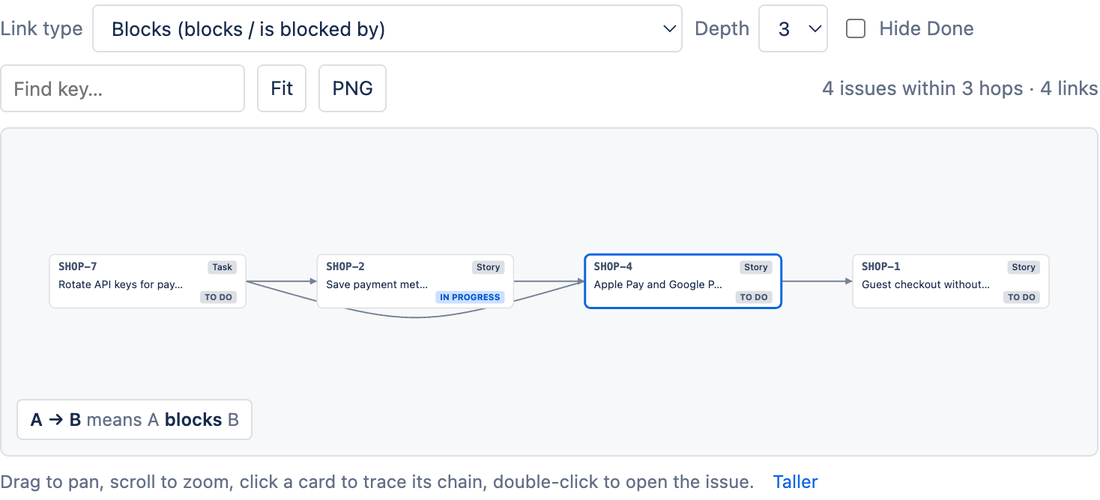
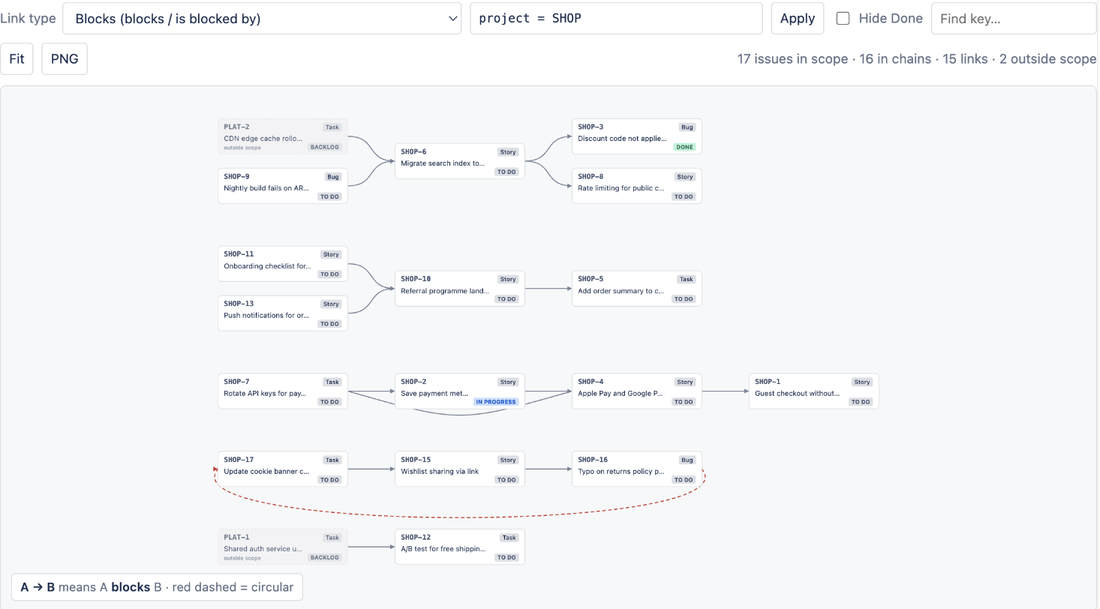
Once people start linking with a custom type, Jira shows those links one work item at a time, in the Linked work items section. LinkLens for Jira, which we make, draws the links of any one type as a graph: pick the type on a project's Dependencies page (Blocks is the default, any link type on your site can be chosen) and every chain of that type across the project or a JQL scope is drawn as cards and arrows, with loops in red. It is read-only: it does not create, change or delete link types or links.
Native first: if you only need the links listed on each work item, Jira does that without an app. LinkLens is on the Atlassian Marketplace; related reading: act on blocked work items when the blocker is done and finding circular dependencies in Jira.
FAQ
Who can add a link type in Jira Cloud?
A Jira admin. Atlassian's "Link work items" page says link types "can be configured by Jira admins", and the REST API needs the Administer Jira global permission to create or update one.
Can a space (project) have its own link types?
No such setting appears on the pages we read: link types are configured once for the whole site under Settings > Work items > Work item linking, and every space sees the same list.
What happens to existing links if I delete a link type?
Jira asks whether to change those links to another link type or remove them. Choose another type if you want to keep the relationships.
Why can't I find a closed work item when linking?
Atlassian's configuration page notes that closed work items do not appear in the search dropdown; type the exact work item key to link to one.
Sources
- Configure work item linking, Atlassian Support - menu path, Add New Link Type fields, Edit/Update, delete options, clone type warning, Activate/Deactivate, Link Work Items permission, closed work items. Read 26 Oct 2026.
- Link work items, Atlassian Support - the list of link types on a Cloud site, "configured by Jira admins". Read 26 Oct 2026.
- Jira Cloud REST API v3: Issue link types, Atlassian Developer - endpoints and the Administer Jira / Browse projects permissions. Read 26 Oct 2026.