 Mortise Apps
 JiraLinkLens for Jira
How do I get Jira to act on blocked work items when their blocker is done?
To have Jira act on blocked work items when their blocker is finished, build one Jira Automation rule: trigger Work item transitioned (to Done), add a Branch rule / related work items of type Linked work items limited to the blocks link, and inside the branch add your action, such as a comment that mentions {{triggerIssue.key}}. The branch runs once for every work item the finished one blocks. Atlassian's own documentation uses this exact case ("commenting on is blocked by linked work items when a work item is resolved") as its branching example.
Checked 20 Oct 2026: Atlassian Support's "Branch automation flows to perform actions on related work items", "Work with related issues with rule branching", the knowledge-base article "Manage status updates for linked work items in Jira Cloud" and "Automation service limits", all read 20 Oct 2026. We have not run this rule on a live site for this article; the steps and labels are quoted from those pages, and labels can differ slightly between sites while Atlassian renames "issues" to "work items".
The rule, step by step
| Step | Component | Setting |
|---|---|---|
| 1 | Trigger | Work item transitioned, to status Done (or From a status To Done, as in Atlassian's example) |
| 2 | Branch | Branch rule / related work items > Linked work items > link type blocks |
| 3 | Condition (optional, inside the branch) | For example, status equals the one blocked work waits in |
| 4 | Action (inside the branch) | Comment on work item, Transition work item, or any other action |
Why blocks and not is blocked by: the branch starts from the work item that just moved to Done, the blocker. From its side, the work it was holding up is linked as "blocks". Atlassian's knowledge-base example does the same: trigger from Working to Done, branch on linked work items with link type "blocks", condition status equals Working, then transition the linked work item.
A comment you can paste into the action:
{{triggerIssue.key}} ({{triggerIssue.summary}}) is done. It was blocking this work item; check whether this one can start.Inside a branch, every action and smart value points at the branched work item, not at the trigger. Atlassian's page says the trigger work item is still available as {{triggerIssue}}, which is how the comment names the blocker.
Only when every blocker is done
A work item blocked by two things should not be told "go" when the first one finishes. Atlassian documents a Related work items condition with the types Sub-tasks, Parent, Stories, Epic, Created work items and Linked work items, and the checks Are present, Are not present, All match specified JQL, None match specified JQL and Some match specified JQL. Inside the branch, a Linked work items condition on the is blocked by link with All match specified JQL and statusCategory = Done is the way to express "all of this item's blockers are finished" before the comment or transition runs. We have not tested that combination; try it on a test space first.
What to know before you switch it on
- No order, no waiting. Atlassian: branches on multiple work items run in parallel "with no guarantee one will finish before the next one starts", and run as a new process, so the main rule carries on before the branch starts. Do not put a step after the branch that depends on the branch having finished.
- Loops. A rule that transitions work items can set off other rules. Automation stops a chain that triggers itself in quick succession after 10 runs and marks it as a loop (service limits page).
- Limits per run. One rule execution can fetch up to 5,000 associated items; scheduled JQL searches that return more than 999 work items are flagged as too broad.
- One hop. The branch reaches the work items linked directly to the trigger. If the newly unblocked item was also blocking something further down, nothing happens there until that item is done and the rule runs again for it.
- Links stay. The rule does not remove the "blocks" link. JQL such as
workItemLinkType = "is blocked by"keeps matching the item until someone deletes the link.
Seeing what is still waiting
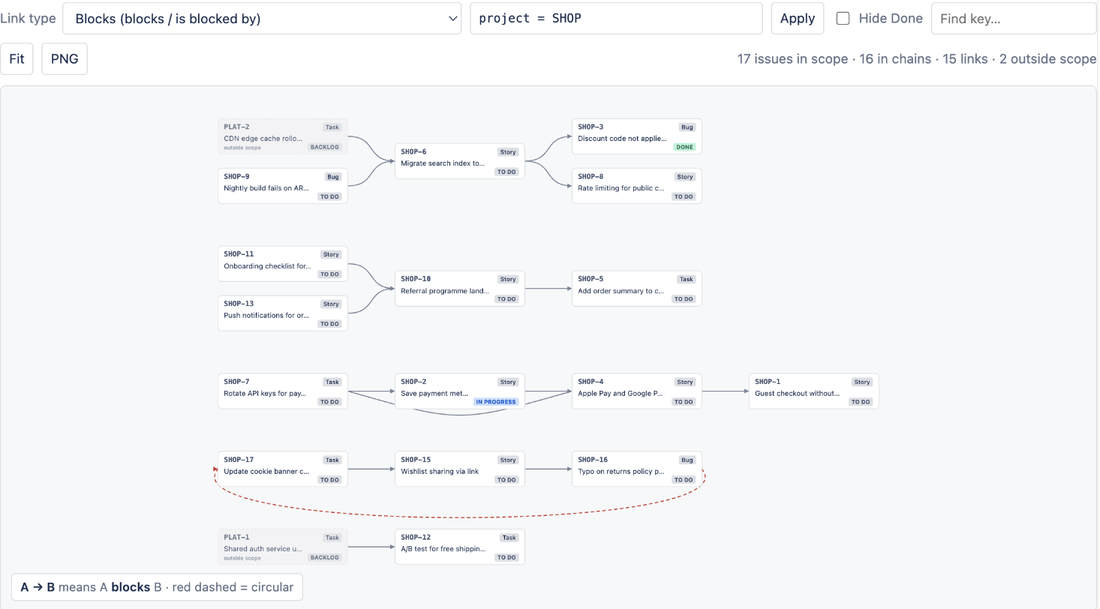
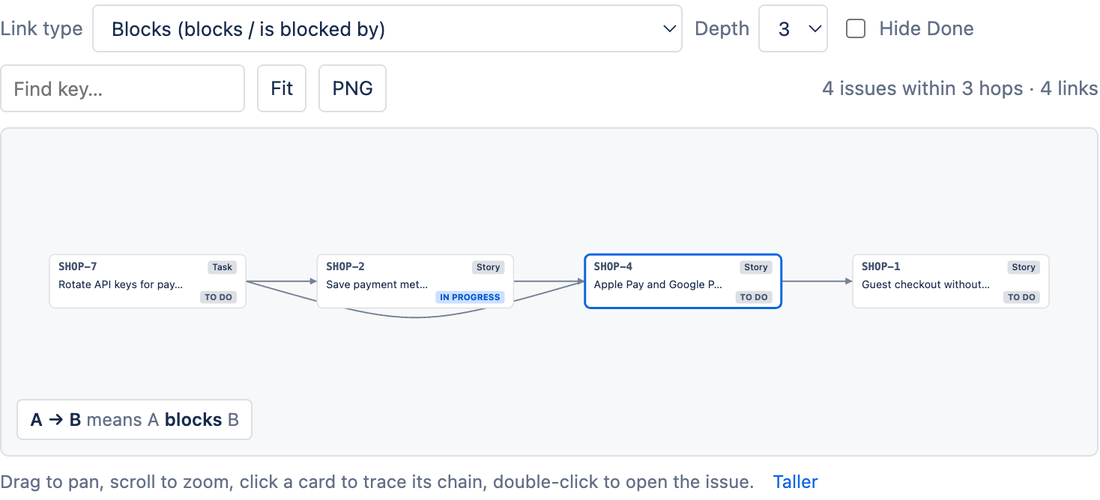
The rule tells people when a blocker clears. It does not show which chains are still stuck. LinkLens for Jira, which we make, draws the links of the type you pick (Blocks by default, or any link type on your site) as a graph: in a work item's panel, up to 5 hops in each direction, or on the project's Dependencies page for a whole project or a JQL scope. Loops show as red dashed arrows and Hide Done drops finished work, so what remains on the graph is what is still waiting. It is read-only and does not change links or run rules.
Native first: if the comment from the rule above is all your team needs, you do not need an app. The app is on the Atlassian Marketplace; related reading: blocks vs is blocked by vs depends on and finding work blocked by open work items with JQL.
FAQ
Should the branch use "blocks" or "is blocked by"?
Use the link as seen from the trigger work item. If the trigger is the blocker moving to Done, the work it holds up is on its "blocks" side, which is what Atlassian's example uses.
Can the rule move the blocked work item to the next status?
Yes. Atlassian's knowledge-base example transitions each linked work item, with a condition so only items in the waiting status move. Add the "all blockers done" condition above if items can have more than one blocker.
Does this need Jira Premium?
Nothing in the pages we read ties branches on linked work items to a plan. Automation usage limits differ by plan; check your site's automation usage page before rolling a busy rule out to many spaces.
Sources
- Branch automation flows to perform actions on related work items, Atlassian Support - Linked work items branch, parallel and asynchronous execution, {{triggerIssue}}, Related work items condition types and checks, the blocked-by comment example. Read 20 Oct 2026.
- Work with related issues with rule branching, Atlassian Support - the same branch types and notes in the older wording. Read 20 Oct 2026.
- Manage status updates for linked work items in Jira Cloud, Atlassian Support - trigger Working to Done, branch on linked work items with link type "blocks", status condition, transition action. Read 20 Oct 2026.
- Automation service limits, Atlassian Support - loop limit of 10, 5,000 associated items per execution, 999-result JQL search warning. Read 20 Oct 2026.