 Mortise Apps
 ConfluenceLinkLens for Confluence
How do I show the blocked work items of the current Jira sprint on a Confluence page?
To show the blocked work in the current sprint on a Confluence page, add the Jira work items macro (type /jira while editing), switch to JQL and enter project = ABC AND sprint in openSprints() AND workItemLinkType = "is blocked by" AND statusCategory != Done, with your space key in place of ABC. Because openSprints() follows whichever sprint is running, the same page stays right sprint after sprint and nobody has to edit it. The list shows the blocked items only: not the work items that block them, not whether those blockers are finished, and not blockers that sit in another team's sprint.
Checked 24 Oct 2026: Atlassian Support's "JQL functions" page (openSprints(), closedSprints(), futureSprints(), linkedWorkItems()) and "JQL fields" page (Sprint, Work item link type), both read 24 Oct 2026, and "Display Jira work items in a list" (the Confluence macro), read 14 Oct 2026. We have not run these queries on a live site for this article; the syntax is quoted from those pages.
The query, piece by piece
| Part | What it does (per Atlassian's JQL pages) |
|---|---|
project = ABC | Keeps the list to one space. openSprints() on its own matches started sprints on every board of the site. |
sprint in openSprints() | Work items in a sprint that has started and not been completed. The function only works with IN and NOT IN. |
workItemLinkType = "is blocked by" | Work items that have at least one link of that type. |
statusCategory != Done | Leaves out work that is already finished. |
Variants for the same page:
- Planning ahead:
sprint in futureSprints()lists blocked work in sprints that have not started yet, which is the list to clear before sprint planning. - Carried over: Atlassian notes that a work item can belong to a completed sprint and an open one at the same time.
sprint in openSprints() AND sprint in closedSprints()finds work that was carried into this sprint, a useful second list on a review page. - One named sprint:
sprint = "Sprint 14"or the sprint ID. The Sprint field page says the ID helps when several sprints share a name. - A number for the page header: the same query with COUNT VIEW selected in the macro.
The link type is written as the link's description, so direction matters: "is blocked by" finds the waiting work, "blocks" finds the work that holds others up. Older filters say issueLinkType; use whichever name your site's JQL autocomplete offers.
What the list cannot tell you
- The blockers themselves. To see what one item waits on, add
issue in linkedWorkItems(ABC-123, "is blocked by")as a second macro (walkthrough).linkedWorkItems()takes one key, so it is one macro per blocked item. - Whether a blocker is done. The query matches the link, not the status of the work item at the other end. An item stays listed until someone removes the link.
- Other teams. If the blocker sits in another space or another team's sprint, the
project = ABClist does not show it at all. - Chains. A blocker that is itself blocked is invisible here.
For a small team, the list plus one linkedWorkItems() macro for each blocked item is a workable stand-up page with no app.
When the sprint page needs the chains
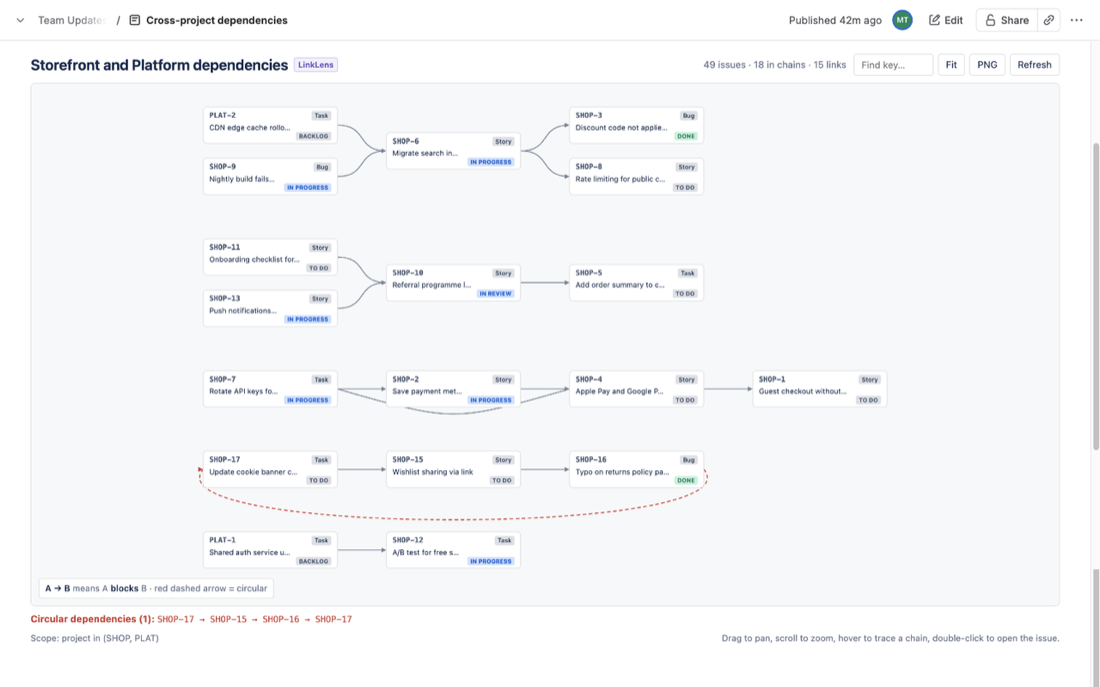
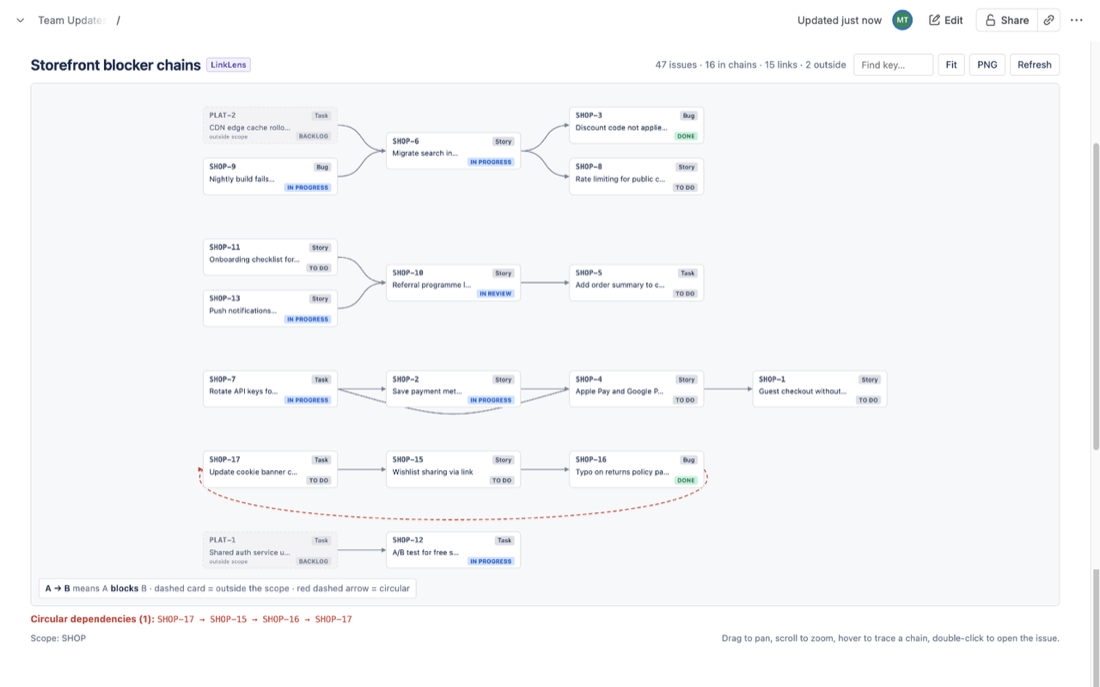
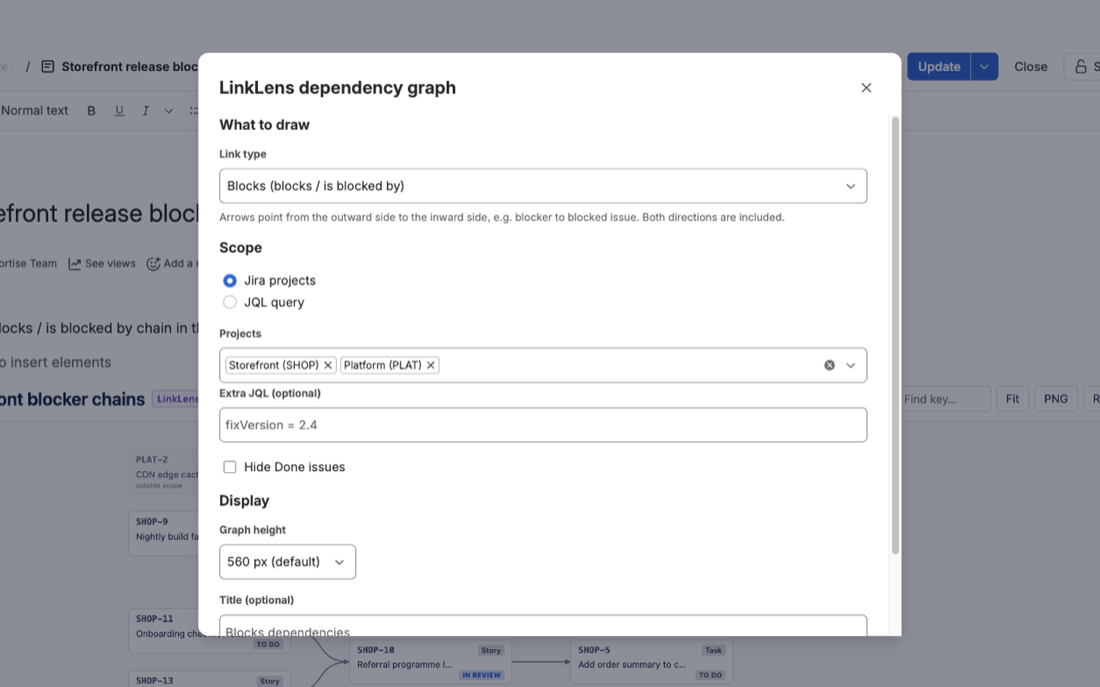
LinkLens for Confluence, which we make, is a macro that draws Jira link chains as a graph on the page. Pick the link type (Blocks by default) and a JQL scope such as project = ABC AND sprint in openSprints(), and turn on Hide Done issues so only live blockers remain. Every chain in the scope is drawn from the first blocker to the last blocked item; a blocker in another team's space appears as a dimmed, dashed card marked "outside scope", and a loop is drawn as a red dashed arrow and listed under the graph. It reads Jira as the person viewing the page, so each reader sees only what their Jira permissions allow.
Its limits: one link type per macro, and links are followed one hop outside the scope, so a blocker two steps away in another space is not drawn. Setup is in the getting-started guide and the app is on the Atlassian Marketplace. For a release instead of a sprint, see blocked work in a Jira release.
FAQ
Why does my openSprints() list show other teams' work?
openSprints() returns every started, not completed sprint on the site. Add project = ABC (or a board filter's own conditions) to keep the list to your team.
Does the page update when the next sprint starts?
Yes. The macro runs its search when the page is viewed, and openSprints() then matches the new sprint.
Can one query list the blockers of every blocked item in the sprint?
Not with the documented functions. linkedWorkItems() takes a single work item key, not a query, so the blockers of a whole sprint need one macro per item or a graph.
Sources
- JQL functions, Atlassian Support - openSprints(), closedSprints(), futureSprints() (IN and NOT IN only; a work item can be in completed and incomplete sprints), linkedWorkItems() syntax. Read 24 Oct 2026.
- JQL fields, Atlassian Support - Sprint (name or ID, active and future sprints) and Work item link type. Read 24 Oct 2026.
- Display Jira work items in a list, Atlassian Support - inserting the macro, JQL search, COUNT VIEW. Read 14 Oct 2026.