Mortise Apps
LinkLens for Jira
How to find Jira issues that are blocked by issues that are still open
To list Jira issues that are really blocked, you need issues whose blocker is still open. Native JQL can find issues that have an "is blocked by" link (issueLinkType = "is blocked by"), but it cannot check the status of the issue on the other end of the link, so it also returns work whose blocker finished weeks ago. There are three honest ways around that: a label maintained by Automation, a JQL-extension app from the Marketplace, or a view that hides done work, such as LinkLens with Hide Done.
Why issueLinkType is not enough
The obvious query is:
issueLinkType = "is blocked by" AND statusCategory != DoneIt returns every unfinished issue that has at least one "is blocked by" link. It says nothing about the blocker. If ABC-12 was blocked by ABC-7 and ABC-7 is now Done, ABC-12 still matches, and your "blocked work" filter, board swimlane or dashboard gadget keeps counting it. Over a few sprints the list fills with issues that stopped being blocked long ago.
JQL cannot fix this on its own because it has no subqueries: a clause can test the issue you are searching, not the status of issues linked to it. Atlassian tracks the request as JRACLOUD-95782, "JQL function to determine the status of linked work items", which is in Gathering Interest. An older request for the same thing, JRACLOUD-74758, was closed without being built.
Two details make the basic query better even with that limit:
statusCategory != Donecovers every workflow's done statuses (Done, Closed, Resolved, Won't do), so you do not have to list them.- Use the link's inward or outward description exactly as your site defines it. On most sites the Blocks link type reads "blocks" outward and "is blocked by" inward;
issueLinkType = blocksfinds the blockers,issueLinkType = "is blocked by"finds the blocked work.
What native Jira can do
| Option | Finds blocked work | Knows the blocker is still open | Scales to a project | Cost |
|---|---|---|---|---|
issueLinkType = "is blocked by" | Yes | No | Yes | Included |
issue in linkedIssues("ABC-7", "blocks") | Yes, for one blocker | Only if you pick open blockers by hand | No: one key per clause, joined with OR | Included |
| Automation keeps a label up to date | Yes | Yes | Yes | Included, counts toward your Automation limits |
| Plans (Advanced Roadmaps) dependencies view | Visually | Visually | Yes | Jira Premium or Enterprise |
| JQL-extension apps (subquery functions over links) | Yes | Yes | Yes | Marketplace app, per user |
| LinkLens with Hide Done | Visually, as chains | Yes (done issues and their links are removed) | Yes, a project or any JQL scope | Free up to 10 users, then paid per user |
linkedIssues() is the closest native tool, but Atlassian's own knowledge base notes that you have to name each issue and join the clauses with OR, so it works for one release's three blockers and not for a whole project.
The native workaround: a label kept by Automation
If you need a real filter (for a board quick filter, a JSM queue or a gadget), let Automation store the answer on the blocked issue, then filter on that. The idea: whenever a blocker changes status, update a label such as blocked-open on the issues it blocks.
- Trigger: Work item transitioned (any transition). The trigger issue is the blocker.
- Branch: For related work items, choose Linked work items and the link type blocks, so the branch runs on the issues this blocker blocks. See Automation branches.
- Inside the branch, if the blocker is not done: add the label
blocked-open. - Inside the branch, if the blocker is done: only remove the label when every blocker of that issue is done. Use a related work items condition on the issue's "is blocked by" links with "all match" the JQL
statusCategory = Done, then removeblocked-open. Without this check, finishing one of two blockers would clear the label too early. - A second small rule on "Work item linked" adds the label when a new "is blocked by" link points at an open issue, so new links count immediately.
Then the filter is simply:
labels = blocked-open AND statusCategory != DoneTest both rules on a copy of a project first; component names in the rule builder change occasionally, and multi-blocker issues are where mistakes show up.
See only the live blocker chains
A filter answers "which issues are blocked right now". It does not show why: which blocker, what blocks that blocker, and where the chain starts. For that, a graph is faster than a list.
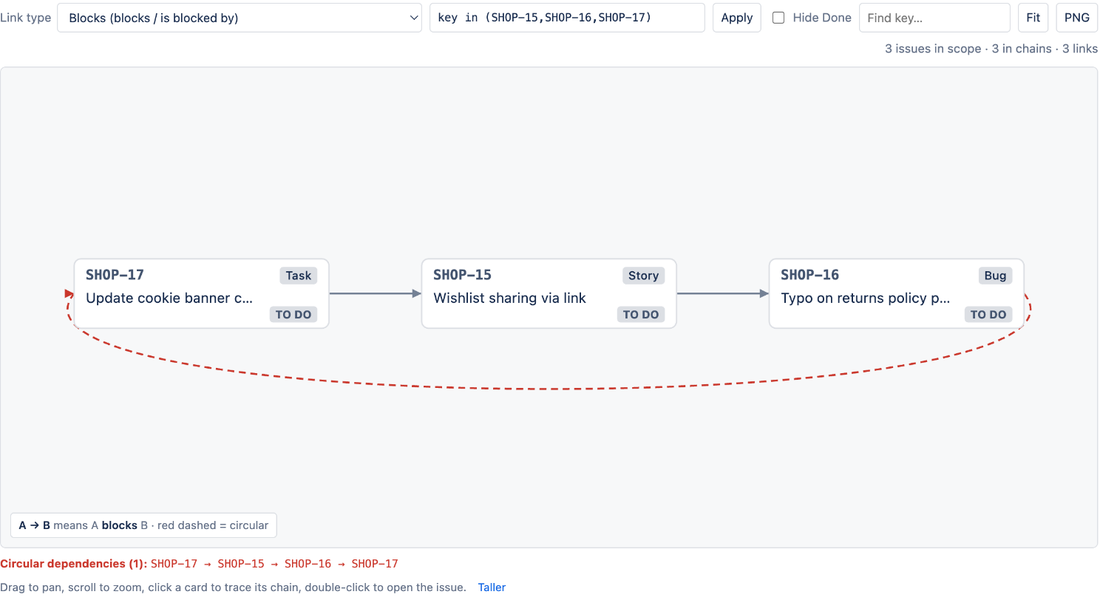
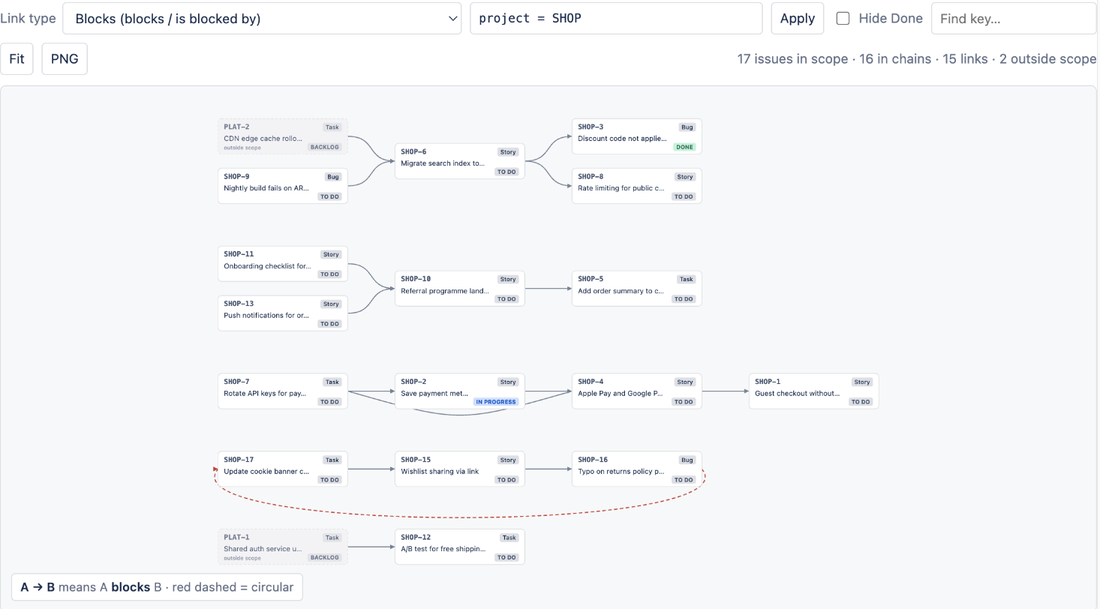
LinkLens for Jira draws one link type (for example blocks / is blocked by) as a dependency graph for a whole project or any JQL scope. Turn on Hide Done and every done issue disappears together with its links, so what remains is exactly the open work that is blocked by open work, drawn as chains from the first blocker to the last blocked issue. Circular dependencies show as red dashed arrows.
Steps:
- Open the project and select Dependencies in the project sidebar.
- Choose the Blocks link type.
- Tick Hide Done. Narrow the scope with JQL if you like, for example
project = SHOP AND fixVersion = "Spring release". - Hover any card to highlight its chain; open the Dependency chain panel on an issue to see up to five hops upstream and downstream.
What it does not do: LinkLens adds no JQL function, so it will not give you a saved filter or a queue. If you need the filter, use the Automation label above (or a JQL-extension app); use LinkLens to see and explain the chains.
FAQ
Why does my "blocked" filter include issues whose blocker is done?
Because issueLinkType = "is blocked by" only checks that the link exists. JQL cannot read the linked issue's status. Keep a label up to date with Automation, or use a view that hides done issues.
Can JQL filter on the status of a linked issue?
Not in native Jira Cloud. linkedIssues() lists the issues linked to one named issue, and there is no subquery syntax. The request is tracked as JRACLOUD-95782.
Do I need Jira Premium to see dependencies?
For the Plans dependencies view, yes. The Automation workaround works on every plan with Automation, and LinkLens works on any Jira Cloud plan.
Sources
- How to retrieve linked work items of a particular link type, Atlassian Support knowledge base:
linkedIssues()needs one key per clause joined with OR. - JRACLOUD-95782, JQL function to determine the status of linked work items, Atlassian public issue tracker (Gathering Interest).
- JRACLOUD-74758, the earlier request for the same capability, closed.
- Jira automation branches, Atlassian Support: branching over linked work items.
- View and manage dependencies in Plans, Atlassian Support.
- How to write JQL that checks if a linked issue is in progress, Atlassian Community question (June 2026).