Mortise Apps
 JiraTeamLens for Jira
What does descendantsOfTeam() do in Jira JQL, and when do you still need teamIn()?
descendantsOfTeam() is a JQL function Atlassian started rolling out to Jira Cloud in September 2026. It returns a team and the teams below it in the Atlassian Teams hierarchy, so "Team[Team]" in descendantsOfTeam(...) finds the work of a parent team and its sub-teams in one clause. On the Jira Cloud site we tested on 2 October 2026 it worked with a team ID, failed with a hand-typed team name and with not in, and it has no answer for work with no team. For a hierarchy query it is the right tool and needs no app; to type a team name, match a prefix or find unowned work, you still need something else.
What Atlassian announced
The function appeared in the Atlassian Cloud changes for the week of 14 to 21 September 2026 under "Search for issues by team hierarchy", marked as rolling out:
Save time and improve visibility into your team's work with the new descendantsOfTeam JQL function in Jira and Jira Service Management. This function allows you to quickly find all work items belonging to a specific team and any of its sub-teams, making it easier to track progress across your entire organization.
It gives three forms of the query:
"Team[Team]" in descendantsOfTeam("Team Name")
"Team[Team]" in descendantsOfTeam("<teamId>")
"Team[Team]" in descendantsOfTeam("id: <teamId>")
The following week's changelog repeats the entry with one addition: the name example now ends with "using the autocomplete option". Keep that phrase in mind for the test below. On 2 October 2026 the function was not listed on Atlassian's JQL functions reference page, so these two changelog entries are the only documentation. One practical warning: the published examples use curly quotation marks, so pasting them into the JQL editor fails. Retype the quotes.
Two things follow from the shape of the function. It sits on the right-hand side of the Team field, so it returns teams, not work items: you write "Team[Team]" in descendantsOfTeam(...), never issue in descendantsOfTeam(...). And it only means something if your organisation uses the team hierarchy, which Atlassian's Teams documentation describes as setting "parent and sub-team relationships between each team" on the team's profile page. The rules there: a parent team can have up to 25 sub-teams, each team has one parent, and a team cannot be its own parent or sub-team.
It is also not membersOf(). That older function returns people, for fields such as Assignee, so assignee in membersOf(id:<teamId>) finds work assigned to a team's members whatever the Team field says. Its documentation is explicit about names: "Teams don't currently work with team names. You must use the teamId, which you can get from the team profile URL."
What happened when we ran it
We sent the queries below to Jira Cloud's search API on 2 October 2026, on a site where the function was available, with straight quotes. The test team is called "Platform Team", has 14 work items and no sub-teams.
| Query | Result on our site |
|---|---|
"Team[Team]" in descendantsOfTeam("<team UUID>") | 14 work items, the same as Team = "<team UUID>" |
"Team[Team]" in descendantsOfTeam("id:<team UUID>"), no space after the colon | 14 work items |
"Team[Team]" in descendantsOfTeam("id: <team UUID>"), with the space, as printed in the changelog | HTTP 400 |
"Team[Team]" in descendantsOfTeam("Platform Team") | HTTP 400: "Your query couldn't be processed. Make sure it's valid and try again later." |
cf[10001] in descendantsOfTeam("Platform Team") | The same HTTP 400 |
"Team[Team]" not in descendantsOfTeam("<team UUID>") | The same HTTP 400 |
issue in descendantsOfTeam("<team UUID>") | The same HTTP 400 |
Team = "Platform Team" | 0 work items, no error |
So the ID forms work, with one trap: write id: without the space. A hand-typed name does not work, and neither does not in.
The name example in the announcement is explained by how the editor fills it in. The Team field's autocomplete on our site returns each team with its display name as the label and its UUID as the value. Picking "Platform Team" from the suggestions therefore inserts the ID, which is what "using the autocomplete option" means: you see a name, the query holds a UUID. A name typed into the query text, a saved filter, an Automation rule or an API call is not converted, and it failed.
All of this is one site on one day, while the feature is still marked as rolling out. Run the first and fourth rows on your own site before you rely on either.
What we could not test
- A real hierarchy. Our test team has no sub-teams, so we confirmed that the function returns the team itself, not that it walks down a tree. That part rests on Atlassian's description.
- Depth. "Descendants" implies every level below the team, but the announcement does not say so.
- Boards, queues and Automation. We used the search API and the autocomplete data, not a board filter, a queue or a rule.
What it does not do
It does not make team names usable in saved JQL. The stored query holds a UUID, like every other use of the native Team field: Team = "Platform Team" returned nothing on our site, without an error, which is the behaviour Atlassian recorded in JRACLOUD-84663. Whoever inherits the filter has to look up which team the ID belongs to.
It did not work with not in on our site. "Everything outside this part of the organisation" returned the same error as an invalid query.
It has nothing to say about work with no team. A hierarchy function can only return teams. Unowned work is still Team is EMPTY.
It takes one starting team. Every documented example has a single argument, so two unrelated branches of the hierarchy are two clauses joined with OR.
When you still need teamIn() and noTeam()
We make TeamLens for Jira, so read this section as a vendor's description. TeamLens adds two JQL functions that cover the gaps above. It does not replace descendantsOfTeam(): it knows nothing about the hierarchy.
- By name.
issue in teamIn("Platform Team")returned the 14 work items on the same site where the typed name failed natively. The name stays readable in a saved filter, and a typo produces an error that names the value. - By prefix.
issue in teamIn("Tier*")matches every team whose name starts with "Tier". If your sub-teams share a naming convention, that covers much of what a hierarchy query gives, on sites that do not maintain the hierarchy. - Outside a team.
issue not in teamIn("Platform Team")is a supported form, because app functions return work items rather than team IDs. - No team.
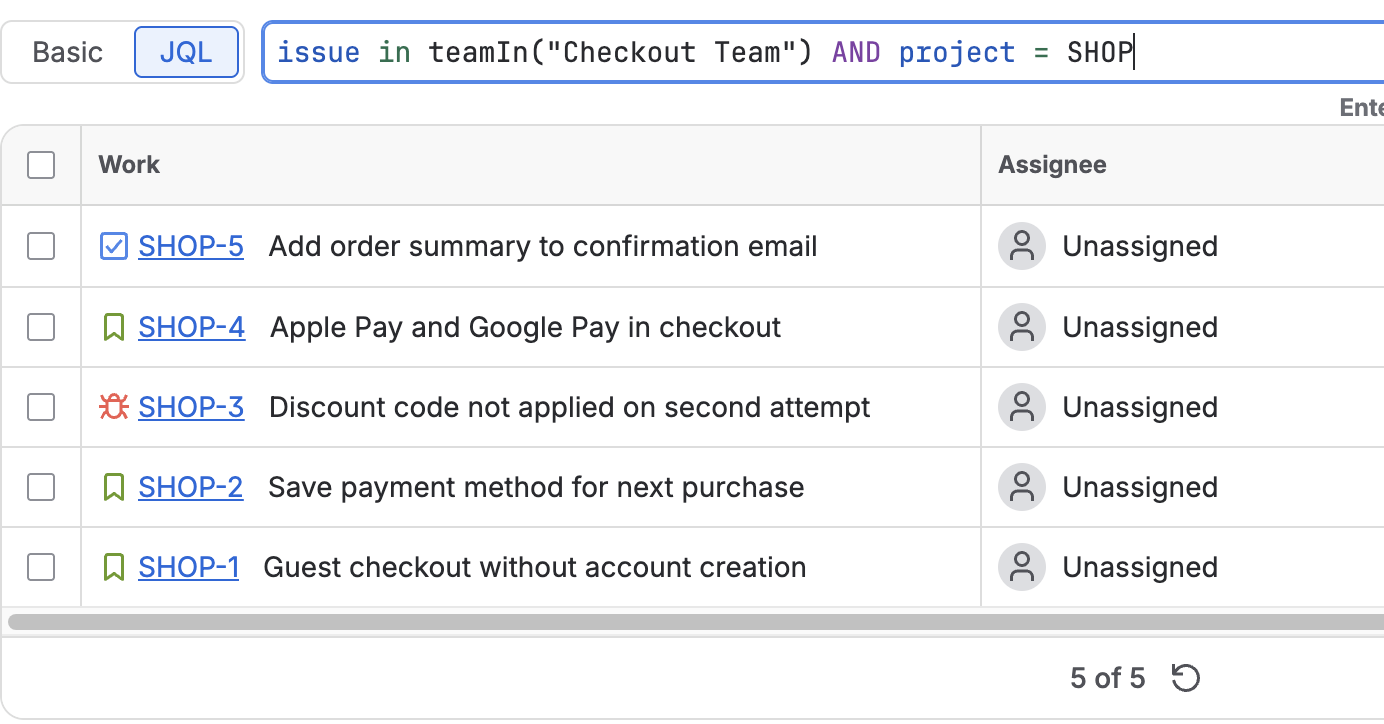
issue in noTeam()gives the same result asTeam is EMPTY, under a name a queue owner can find in autocomplete.
The details and limits of both are in Search Jira by team name: teamIn() and noTeam().
| You want | Use |
|---|---|
| A parent team and all its sub-teams | descendantsOfTeam() with the parent's ID |
| One team, by a name you can read in a saved filter | teamIn("Name") |
| Several teams that share a name prefix | teamIn("Prefix*") |
| Everything except one team | issue not in teamIn("Name") |
| Work with no team | Team is EMPTY or noTeam() |
Using both in one filter
The native function and the app functions can sit in the same query. A department lead who wants the whole Platform organisation, plus anything nobody has claimed, can write:
("Team[Team]" in descendantsOfTeam("<Platform parent team ID>") OR issue in noTeam())
AND statusCategory != Done
The first clause follows the hierarchy by ID; the second catches unowned work. We tested the first clause on its own, not this combined query, so run it in the search screen before saving it. Save it once as a named filter, then point the board, the dashboard gadget and the Automation rule at the filter instead of repeating the UUID; the gadgets in Jira dashboard by team take it as their source. A team's ID is the last segment of its profile page address.
FAQ
Does descendantsOfTeam() accept a team name?
In the JQL editor you can pick a team by name from autocomplete, and the editor inserts the team's ID. A name typed into the query text returned an HTTP 400 error on the site we tested on 2 October 2026. The feature is still rolling out, so check your own site.
Do I need Jira Premium for descendantsOfTeam()?
The announcement names Jira and Jira Service Management and does not mention a plan, and we did not test across plans. What the function does need is a hierarchy to walk: for a team with no sub-teams it returns the same work as Team = <id>.
Why does "id: <teamId>" fail?
On our site the prefixed form worked only without the space: "id:<teamId>". With the space, as printed in the changelog, the query returned an HTTP 400 error.
Does TeamLens read the team hierarchy?
No. teamIn() matches team names and IDs, with a trailing * for prefixes. For a parent team and its sub-teams, use the native descendantsOfTeam().
Sources
- Atlassian Cloud changes Sep 14 to Sep 21, 2026 - "Search for issues by team hierarchy": the announcement of
descendantsOfTeamand its three query forms. - Atlassian Cloud changes Sep 21 to Sep 28, 2026 - the same entry, with "using the autocomplete option" added to the name example; still marked as rolling out.
- Represent your organization's hierarchy with teams, Atlassian Support - parent and sub-team relationships and the hierarchy rules.
- JQL functions, Atlassian Support - the function reference:
membersOf()and its team-ID rule;descendantsOfTeamwas not listed there on 2 October 2026. - Team field in Jira REST API, Atlassian Developer - the Team field stores a team ID and is queried as
"Team[Team]" = <uuid>. - JRACLOUD-84663, JQL Search for Team does not Recognize Team Names - the native field matches IDs, not names.
- Our own test, 2 October 2026: the queries in the table above, sent to a Jira Cloud site's search API, plus that site's JQL function list and Team field autocomplete data.