 Mortise Apps
 JiraTeamLens for Jira
How do I make one swimlane per team on a Jira board?
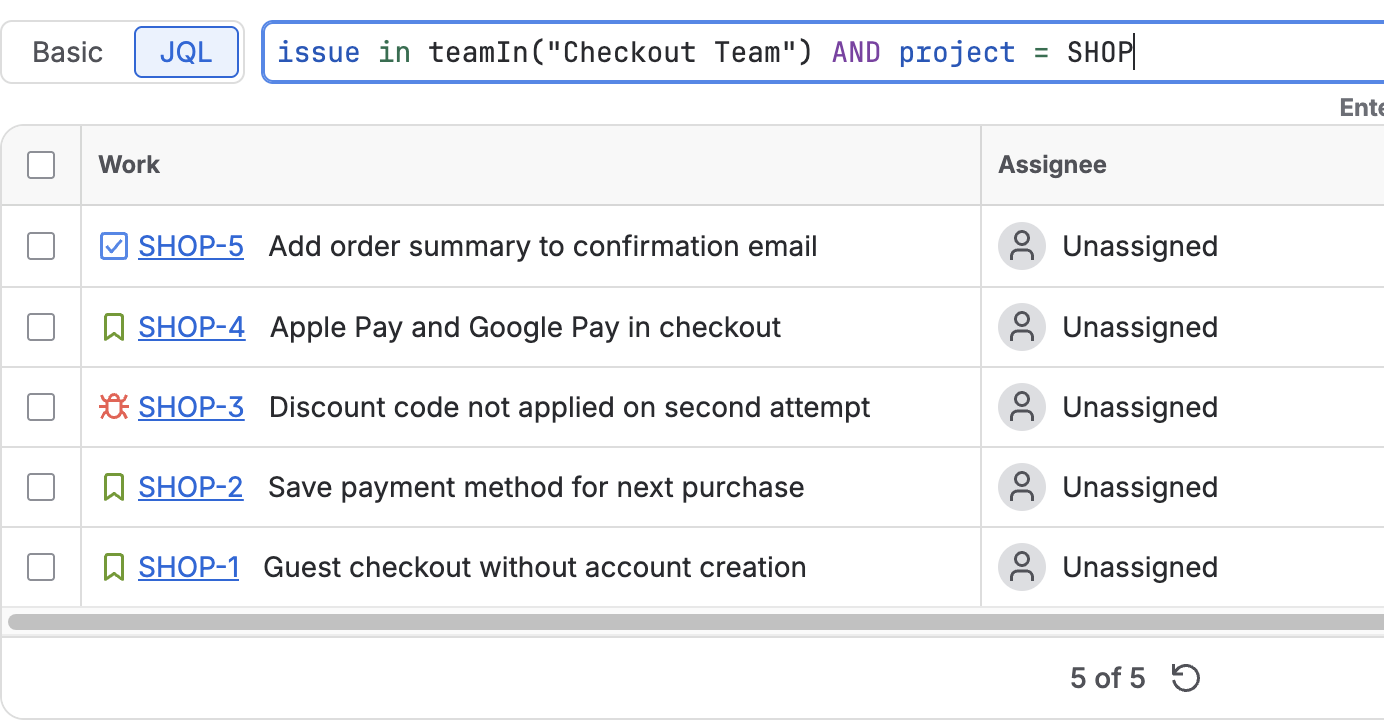
Jira boards have no built-in "one swimlane per team" option. The swimlane methods Atlassian lists are Stories, Queries, Assignees, Epics, Spaces and No swimlanes. To get a lane per team, choose Queries and give each lane a Team field JQL clause, such as "Team[Team]" = <team id>. Work with no team, or a team you did not add, falls into the Everything Else lane at the bottom.
Short answer: on the board, open More actions (•••) > Board settings > Layout > Swimlanes, set the method to Queries, then add one swimlane per team with the JQL "Team[Team]" = 36885b3c-1bf0-4f85-a357-c5b858c31de4 (that team's id). You need to be a space admin for the board's location or a board admin.
Checked 8 Nov 2026: Atlassian Support "Configure swimlanes" (read 8 Nov 2026) and Atlassian Developer "Team field in Jira REST API" (last updated 15 Sep 2026, read 3 Nov 2026). We have not set up these swimlanes on a live board for this article; the steps follow those pages.
Why there is no "Team" swimlane
Atlassian's page lists six methods: Stories (parents with their subtasks), Queries (JQL), Assignees (one lane per person), Epics (parents as lanes), Spaces (one lane per space) and No swimlanes. A team is not a person, an epic or a space, so none of the fixed methods groups by it. A board that several teams share ends up grouped by assignee, which shows people but not who owns the work as a team.
Query swimlanes are the general-purpose option: every lane is a JQL clause, and the Team field has JQL.
Step 1: get each team's id
The Team field's JQL compares team ids, not names. Atlassian's developer page says: "You will need to specify a Team ID to compare with." Open the team's profile page and copy the last part of the URL after /team/; it looks like 36885b3c-1bf0-4f85-a357-c5b858c31de4. Write down a name and id pair for each team on the board.
Step 2: switch the board to query swimlanes
- On the board, select More actions (•••) next to the board name, then Board settings.
- Expand Layout and select Swimlanes.
- Choose Queries as the method.
Atlassian's page says query swimlanes start with two lanes: Expedite (priority = Blocker) and Everything Else. Edit Expedite into your first team lane, or keep it above the team lanes if you use it.
The page covers boards in company-managed spaces; team-managed spaces have different board settings.
Step 3: one lane per team
Add a swimlane for each team, named after the team:
Platform      "Team[Team]" = 36885b3c-1bf0-4f85-a357-c5b858c31de4
Payments      "Team[Team]" = 9f1c2a77-...
Mobile        "Team[Team]" = 4b0e91d2-...
No team yet   "Team[Team]" is EMPTY
Drag lanes by the grid icon to put them in the order you want. A few points from the same page:
- Everything Else "is always at the bottom of the screen, and cannot be deleted". It catches any work item that matches none of the lanes above it, so a team you forgot to add shows up there instead of disappearing.
- An
ORDER BYin a swimlane's JQL is ignored: "the JQL 'ORDER BY' clause is not used by the swimlane, as it defaults to order by rank." - To change a lane later, hover over it, open More actions and select Edit to change the name or the JQL.
The page does not say which lane a work item lands in if it matches two queries. Keep the clauses mutually exclusive (one team id per lane) and the question does not come up, since the Team field holds one team.
Why a separate "No team yet" lane helps
The is EMPTY lane makes untriaged work visible at a glance: anything in it will drop out of every team-based filter, dashboard and report until someone sets the team. Without it, that work mixes into Everything Else with the teams you did not list.
When team ids get in the way
A lane that reads "Team[Team]" = 36885b3c-... only makes sense through its name. When a team is replaced by a new one, for example after a reorganisation, the old id stays in the lane and it quietly empties while the work moves to Everything Else. Review the lanes whenever teams change.
We make TeamLens for Jira, which adds JQL functions that take team names and work anywhere JQL does, including swimlane queries:
issue in teamIn("Platform")      -- one team, by name
issue in teamIn("Platform*")     -- every team whose name starts with Platform
issue in noTeam()                -- Team field empty
Names match case-insensitively, and a team id is still accepted. The app refreshes its team directory every hour, so a team created or renamed in the last hour may take a moment to resolve. Details on the JQL functions page. The plain "Team[Team]" clauses above work without the app.
FAQ
Can I group a team-managed board by team?
The swimlane steps above are for company-managed spaces; Atlassian's page says team-managed spaces work differently. On a team-managed board, a quick filter by team style approach or a separate board per team is the usual route.
I cannot see Board settings. Why?
Configuring swimlanes needs space admin rights for the board's location or board admin rights for that board. Ask one of them, or ask to be made a board admin.
The Team field is empty on most work items. What first?
Put the Team field on the space's layout and back-fill it: add the Team field to Jira work items, then set it from the assignee with Automation or with the REST API.
Sources
- Configure swimlanes, Atlassian Support: who can configure, the six swimlane methods, Board settings > Layout > Swimlanes, default Expedite and Everything Else lanes, ORDER BY ignored, drag to reorder, edit name or JQL, company-managed spaces only. Read 8 Nov 2026.
- Team field in Jira REST API, Atlassian Developer:
"Team[Team]"JQL by team id, team id from the profile URL. Last updated 15 Sep 2026, read 3 Nov 2026. - TeamLens for Jira: JQL functions, teamIn() and noTeam().