Mortise Apps
TeamLens for Jira
Search Jira by team name: teamIn() and noTeam() instead of Team UUIDs in JQL
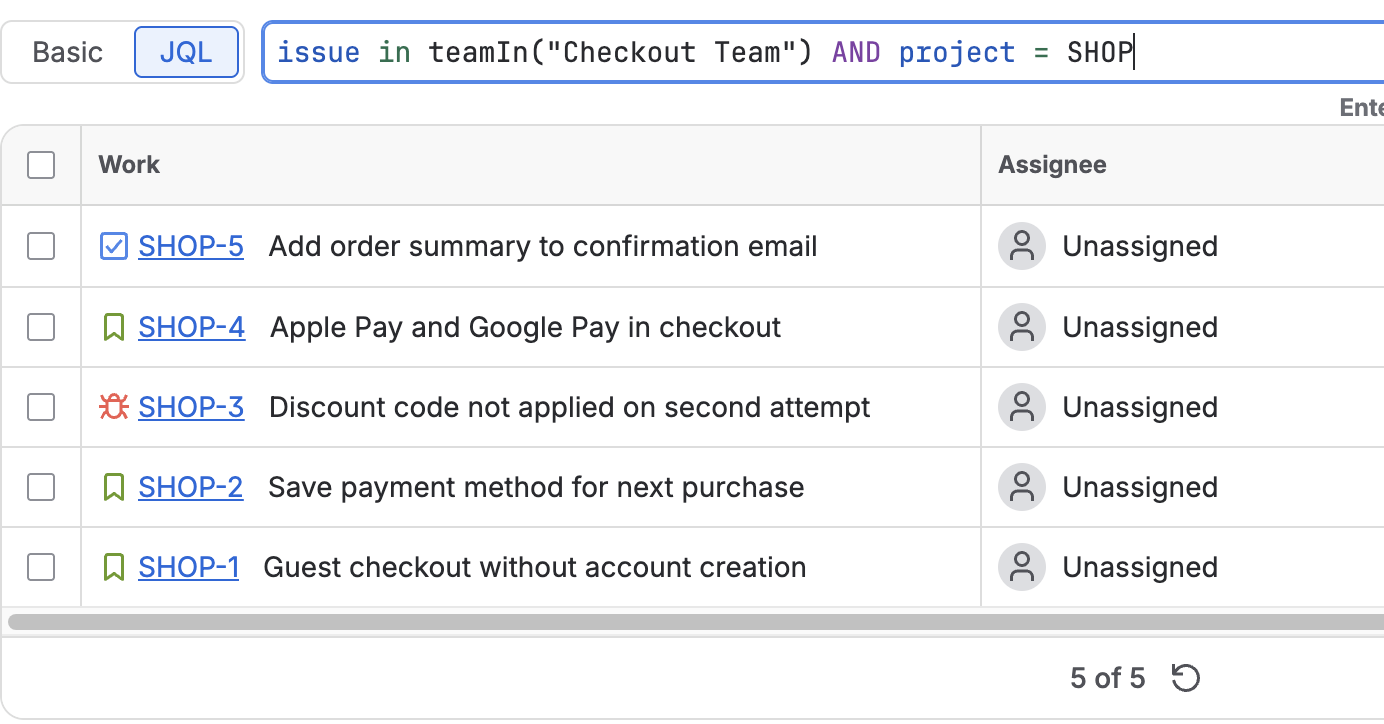
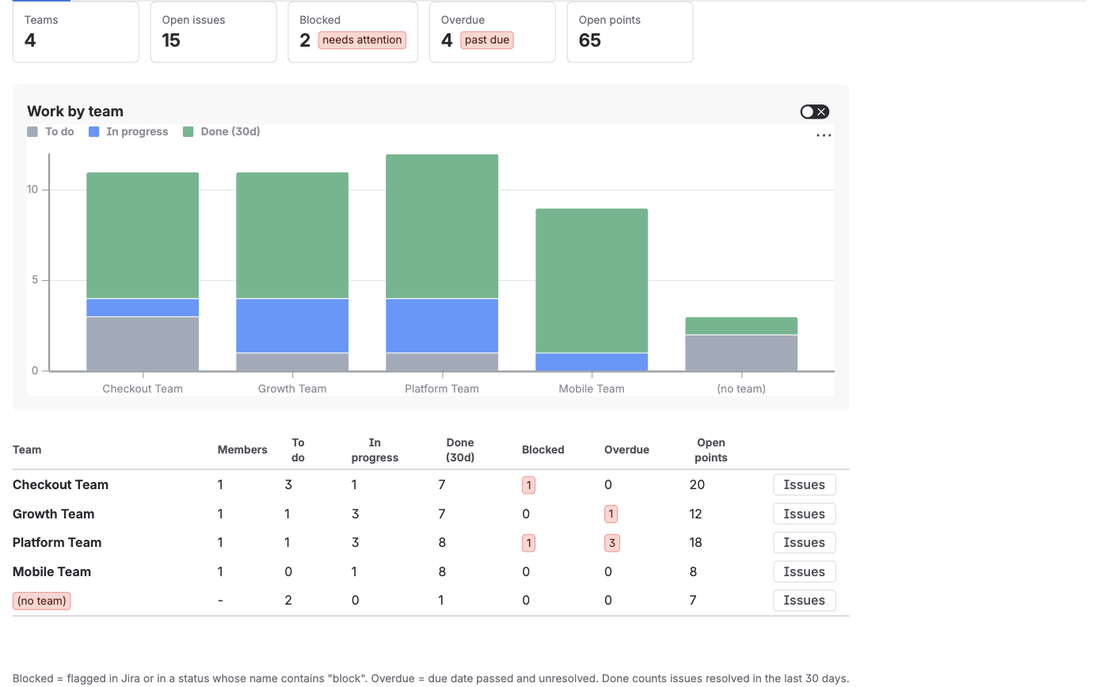
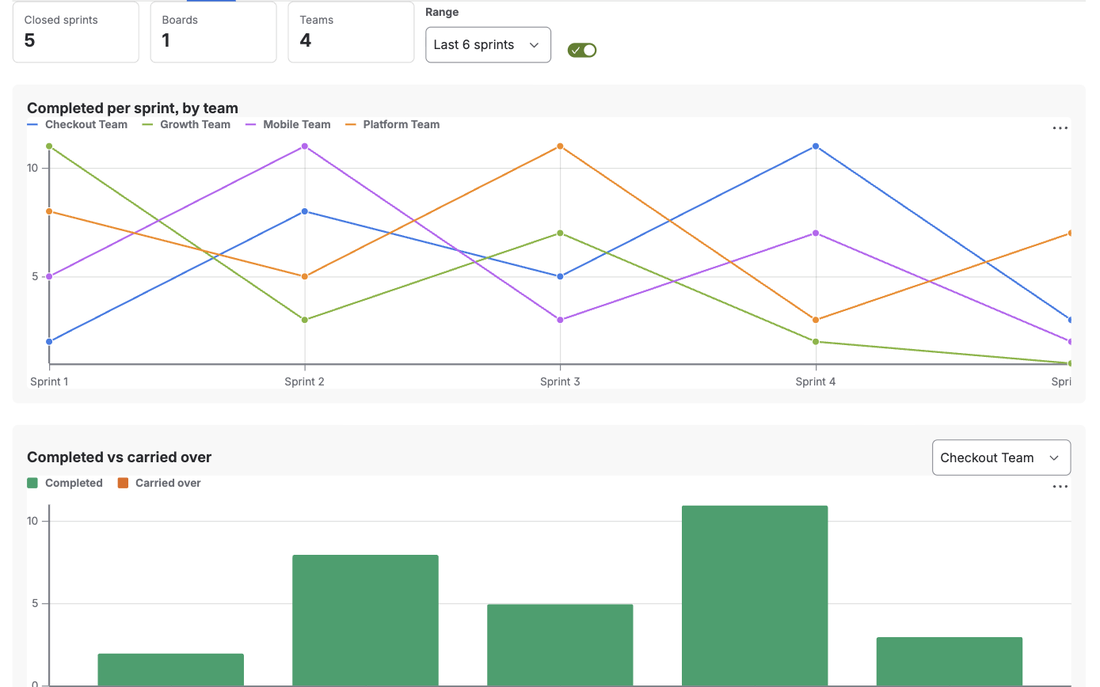
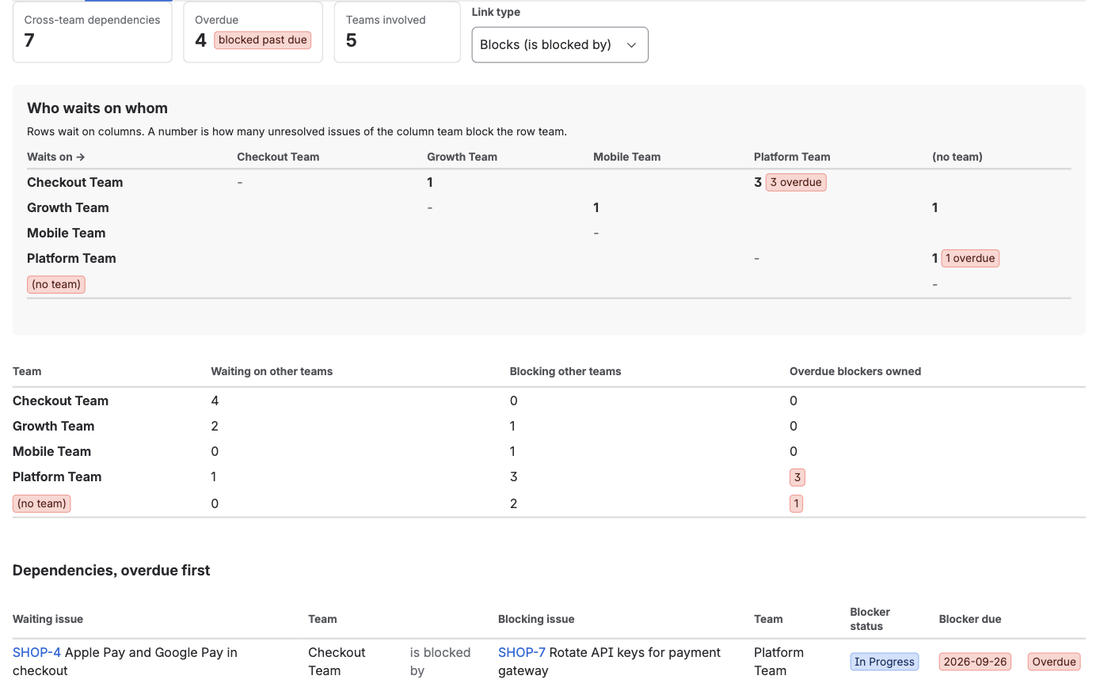
In Jira Cloud, a JQL search on the Atlassian Team field has to use the team's UUID, not its name. "Team[Team]" = 36885b3c-1bf0-4f85-a357-c5b858c31de4 works; "Team[Team]" = "Payments" returns nothing. TeamLens for Jira adds two JQL functions that remove the copy-and-paste: issue in teamIn("Payments") matches issues by team name, with a trailing * for prefixes, and issue in noTeam() returns every issue whose Team field is empty. Both work in filters, boards, dashboards, Jira Service Management queues and Automation.
Why names do not work in JQL
The Team field is a custom field (typically customfield_10001) whose stored value is a team id, a UUID such as 36885b3c-1bf0-4f85-a357-c5b858c31de4. Atlassian's developer documentation for the field shows the JQL form directly: "Team[Team]" = <uuid>. The team's display name is metadata attached to that id; JQL never compares against it.
Atlassian recorded the consequence years ago in JRACLOUD-84663, "JQL Search for Team does not Recognize Team Names". The ticket is now closed, and a related ticket (JSWCLOUD-19523) notes that Jira has been rolling out team name lozenges in the JQL editor, which helps when you type a query interactively. It does not help when the query lives in a saved filter, a board, an Automation rule or a queue definition, where you still see and maintain the raw UUID.
Finding a team's UUID means opening the team's profile page and copying the last segment of its URL. Do that for eight teams, paste them into a filter, and you have a query nobody can read and nobody dares to edit.
A real example: one JSM queue per support team
A service desk has three tiers of support, each an Atlassian Team so that Jira Plans and the Team field on requests line up. The service manager wants a queue per tier and a board per tier that only shows that team's open requests.
The native version of each queue filter looks like this:
"Team[Team]" = 5f2a0c1e-8f4b-4b2e-9c6d-2c1a4f7b9d31 AND statusCategory != DoneSix months later the Tier 2 team is renamed and merged with a new team. Whoever inherits the queues has three UUIDs and no idea which is which. The filter for "requests nobody has picked up" is worse: there is no function for "empty Team", so it is written as "Team[Team]" is EMPTY, which works but is not something a queue owner will discover on their own, and it cannot be combined with "or belongs to any tier whose name starts with Tier".
How to do it with TeamLens
TeamLens registers two functions. Because Jira exposes app functions through the issue in ... form, that is how they are written.
Queue per team
issue in teamIn("Tier 1 Support") AND statusCategory != DoneNames are matched case-insensitively against the team's display name. If no team matches, JQL shows an error naming the value, so a typo fails loudly instead of returning an empty queue. A raw UUID is also accepted, so existing filters can be migrated one clause at a time.
All support tiers at once
issue in teamIn("Tier*") AND status = OpenThe trailing * matches every team whose name starts with the prefix. New "Tier 4 Support" team next year? The queue picks it up with no edit.
Everything except one team
issue not in teamIn("Tier 1 Support")Work nobody owns
issue in noTeam() AND statusCategory != DonePut that one behind a scheduled Automation rule that runs every Monday and comments or emails the service manager, and unowned work stops hiding.
Steps in Jira:
- Install TeamLens from the Marketplace (Jira admin, under a minute, no configuration).
- Open the issue navigator, switch to JQL, and type
issue in teamIn("Your Team Name"). The autocomplete lists the app functions after the first character. - Save it as a filter, then use the filter for a board, a JSM queue, a dashboard gadget or an Automation condition exactly as you would any other filter.
The team list is cached for ten minutes, so a team renamed a moment ago may still resolve under its old name for a short while.
Migrating existing UUID filters
You do not have to rewrite every filter on day one. Because teamIn() accepts a raw UUID as well as a name, a filter such as "Team[Team]" in (uuid-a, uuid-b) can become issue in teamIn("uuid-a", "uuid-b") first, then have each id swapped for the team's name as you touch it. Keep one saved filter per team with a clear name ("Team: Tier 1 Support, open") and point boards, queues and gadgets at the filter rather than repeating the JQL, so a rename means editing one place. A useful check after migration is a dashboard gadget with issue in noTeam() AND created >= -30d: if it is not close to zero, the Team field is not being set on new work and the per-team views are undercounting.
What TeamLens cannot do
The functions match team names and ids; they cannot match team members, because apps cannot read Atlassian Team membership yet (JRACLOUD-92072). A myTeams() function that returns the issues of every team the current user belongs to is planned for when that API opens. The functions are also written as issue in teamIn(...), not Team in teamIn(...), because that is how Jira Cloud exposes every app-provided JQL function. And they are Cloud only.
FAQ
Does teamIn() work in Jira Service Management queues?
Yes. Queues are JQL filters, and app functions are allowed in them. issue in teamIn("Tier 2 Support") AND status = Open is a valid queue definition.
Can I use these functions in Automation rules?
Yes, both as a JQL condition inside a rule and in the JQL of a scheduled trigger. The weekly "unowned work" rule above is the typical use.
Is this cheaper than building it myself?
There is no do-it-yourself route: JQL functions can only be added by apps. TeamLens is free for sites with up to 10 users and USD 1 per user per month above that, with a 30-day trial, on the Atlassian Marketplace. Details are on the TeamLens page.
Sources
- Team field in Jira REST API, Atlassian Developer - the UUID value and the
"Team[Team]" = uuidJQL form. - JRACLOUD-84663, JQL Search for Team does not Recognize Team Names - JQL accepts team ids, not names.
- JSWCLOUD-19523, JQL Search for Team does not Recognize Team Names - team name lozenges in the JQL editor.
- JRACLOUD-87808, Team field not supported for sorting on gadgets, JQL or boards - the wider Team field JQL limitations.
- Teams in Jira projects, Atlassian Support - UUIDs must be used when referencing teams in workflows.