Mortise Apps
 JiraTeamLens for Jira
How do you clear the Done column on a team-managed Kanban board in Jira now that \"Clear now\" is gone?
On a team-managed Kanban board in Jira Cloud you can no longer clear the Done column by hand. Atlassian's board update for team-managed spaces replaced the on-demand clear with a time-based setting: done work items are hidden a fixed number of days after each one reached Done.
Short answer: On the board, open View settings and set how long done work items stay on the board: after 1 day, 7, 14, 30 or 60 days, or never. There is no "clear all now" button on team-managed Kanban boards any more, and putting items in a released version does not hide them there. If you need the whole column cleared at once (for example at the end of a weekly cycle), a company-managed Kanban board still has the Release action: work items disappear from the board once all their fix versions are released.
Checked 17 Oct 2026: Atlassian's Community article "Upcoming Changes to Software Boards in Team-Managed Spaces" (with its 30 Jul 2026 update), the public suggestion JRACLOUD-99078 (status Gathering Interest, 34 votes, read 17 Oct 2026), and Atlassian Support's "Release a version" and "Configure versions in a kanban space" pages. We have not tested the new board on a live site for this article; the settings below are quoted or summarised from those pages.
What changed on team-managed Kanban boards
Atlassian's announcement lists "Removing completed items (Kanban only)" under Changed. In its words, "Done-item clearing (Kanban only)": new boards "default to never clearing items (previous was 14 days by default)", and you can clear done work items after 7, 14, 30 or 60 days, or never. "This setting now lives in View Settings." Existing boards keep their current clearing option.
An update dated 30 Jul 2026 added a shorter step: "We've added an additional option to hide done items after 1 day." The same update says Atlassian is "still evaluating the possibility of bringing back manually clearing done items however not in its current state".
The announcement also puts "Clearing controls for done items" under the new saved-views framework: an admin sets the default view for the board, and other users can change view controls for themselves or reset to that default.
Why "hide after X days" is not the same as "Clear now"
JRACLOUD-99078, the public request to bring the manual clear back, explains the difference well: the time-based option "clears items individually, based on when each item was moved to Done". A team that reviews its work in batches, say every Friday, wants the whole column to empty at once, whatever day each item was finished. The request asks for either an on-demand "Clear all Done items now" action or a scheduled batch clear ("Clear all Done items every Monday"). On 17 Oct 2026 it had 34 votes and the status Gathering Interest.
Your options today
| Board type | What you can do | Effect |
|---|---|---|
| Team-managed Kanban | View settings > hide done work items after 1 day | Closest to a daily clear; each item leaves one day after it reached Done |
| Team-managed Kanban | 7, 14, 30 or 60 days, or never | Rolling window per item, not a batch |
| Team-managed Kanban | Put done items in a released version | Does not hide them (Atlassian Community answers, checked 17 Oct 2026) |
| Company-managed Kanban | Release menu above the board > pick a version > Release | "Work items will disappear from the board once all their fix versions have been released" |
On a company-managed board the Release list "will only include versions that have been assigned to one or more of the work items in the 'Done' column", so add a fix version to the done items first. Atlassian's versions page notes you need the Edit Work Items permission to add a work item to a version. Moving a team from a team-managed to a company-managed space is a bigger change than a board setting: weigh it before you do it for this one feature.
Keep the "what we finished" list once the column is empty
Most teams clear the Done column at the end of a cycle and then want to look back at what they shipped. A saved JQL filter does that without the board:
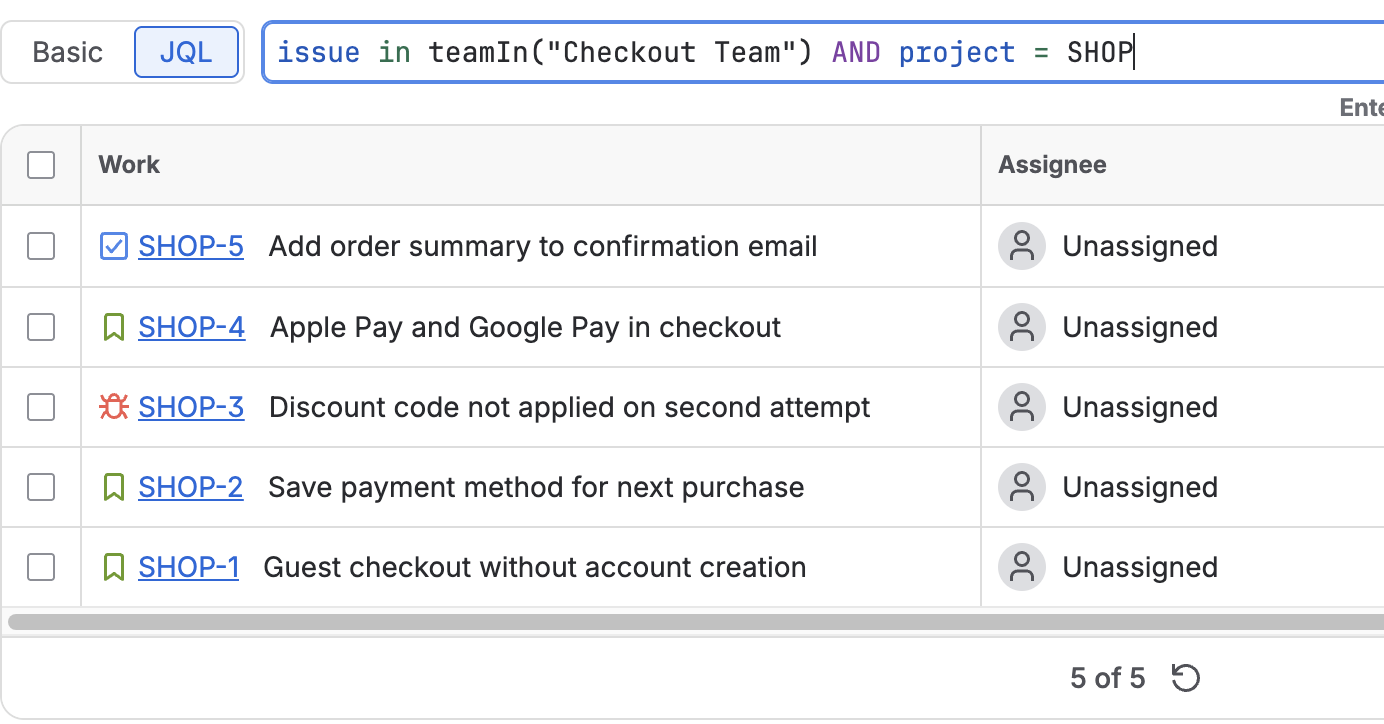
project = ABC AND statusCategory = Done AND resolved >= -7d ORDER BY resolved DESCReplace ABC with your space key and -7d with the length of your cycle. If your space uses the Atlassian Team field, you can narrow the list to one team. We make TeamLens for Jira, which adds the teamIn() JQL function so you can write the team by name instead of its id, for example AND issue in teamIn("Platform"); the functions and their limits are on the JQL functions page. Without the app, Jira's own team = <team id> clause works too.
FAQ
Can I still clear the Done column manually on a team-managed Kanban board?
No. As of 17 Oct 2026 Atlassian's announcement lists the done-item clearing as a View settings option (1, 7, 14, 30 or 60 days, or never), and says manual clearing is still being evaluated "however not in its current state".
What is the default for new team-managed Kanban boards?
Never clearing done items. Before the change the default was 14 days. Existing boards keep the option they had.
Does releasing a version hide done items on a team-managed board?
Not according to Atlassian Community answers we read on 17 Oct 2026. The Release route that removes done items from the board is documented for company-managed spaces.
How do I vote for the manual clear to come back?
Vote and watch JRACLOUD-99078 on Atlassian's public Jira (link below).
Sources
- Upcoming Changes to Software Boards in Team-Managed Spaces, Atlassian Community article, including the 30 Jul 2026 update. Read 17 Oct 2026.
- JRACLOUD-99078, Please enable the option to manually clear Done column on Team-Managed Kanban boards, Atlassian public tracker: Gathering Interest, 34 votes, created 3 Aug 2026. Read 17 Oct 2026.
- Release a version, Atlassian Support (company-managed spaces). Read 17 Oct 2026.
- Configure versions in a kanban space, Atlassian Support (company-managed spaces). Read 17 Oct 2026.
- Can't remove Done issues from New Board, Atlassian Community question. Read 17 Oct 2026.
- TeamLens for Jira: JQL functions, teamIn() and noTeam().