Mortise Apps
TeamLens for Jira
Team workload in Jira: see each team's open, blocked and overdue work when Jira only reports per assignee or per board
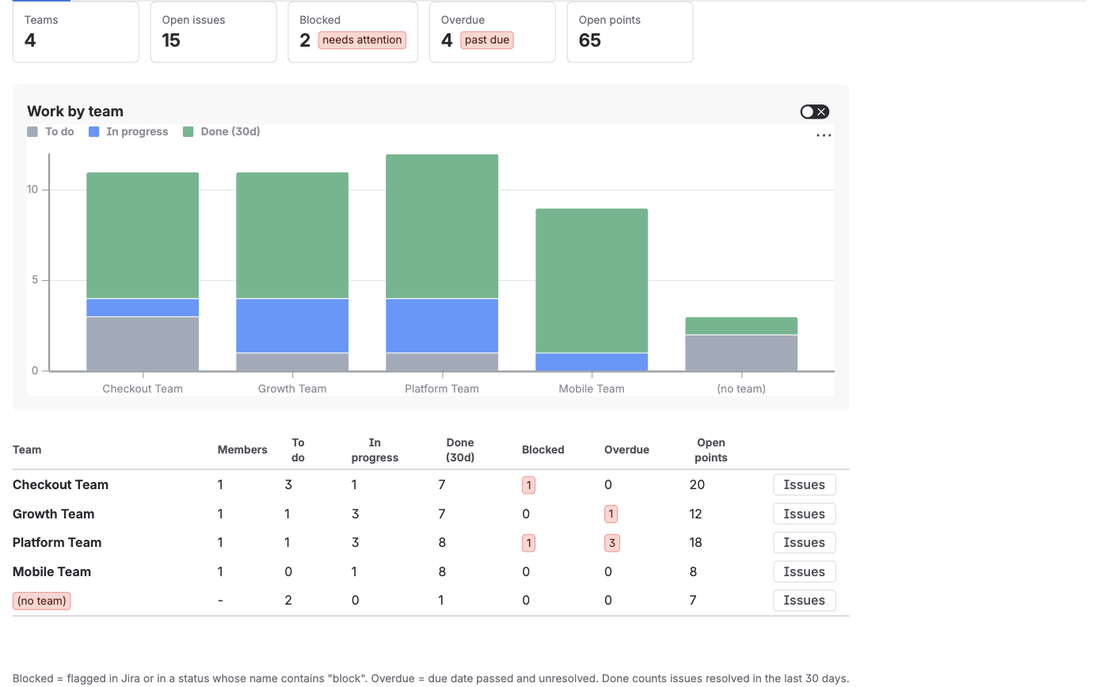
A team workload report in Jira is a view that shows, for each team, how much work is open, how much is in progress, how much is blocked and how much is past its due date. Jira Cloud cannot produce one from the native Atlassian Team field: the Workload Pie Chart groups by assignee, Issue Statistics cannot pick Team as its statistic type, and every board report belongs to one board. TeamLens for Jira adds a Workload report that groups those numbers by team across any set of projects, with a drill-down to the issues.
The question every manager asks on Monday
"Which team is overloaded, which team is blocked, and what is slipping?" Three counts per team. The data is all in Jira: the Team field on each issue, the status category, the flag, the due date. What is missing is the grouping.
Try it natively. The Workload Pie Chart gadget groups by assignee only. Issue Statistics offers Assignee, Priority, Project, Status and your select-list custom fields, but the Team field is a special type that the gadgets were never taught to read (Atlassian tracks this as JRACLOUD-87808, open since 2020). The board's Cumulative Flow Diagram and Control Chart are per board, so a team that works in three projects, or a project shared by four teams, never lines up with one board. The Plans (Advanced Roadmaps) capacity view knows about teams, but it is per plan, per sprint, and requires a Premium licence.
So the report gets built by hand. A saved filter per team, exported on Monday, pivoted in a spreadsheet, stale by Tuesday.
A real example: four teams, one storefront
Take an e-commerce company with one Jira project for its storefront and four teams working in it: Checkout, Platform, Mobile and Growth. Every story carries the Team field because the company uses Plans for quarterly planning. The engineering manager needs to know, before the weekly leadership call:
- Checkout has three open stories and one flagged as blocked. Is the blocker inside Checkout or in another team?
- Platform holds three overdue items. Are they the ones the other teams are waiting on?
- Two issues have no team at all. Who picks them up?
None of these are exotic. All of them are one grouping away from the native gadgets, and that grouping is not available.
What native Jira gets you
To be fair to Jira, here is how far it goes without an app:
- A filter per team with the team UUID.
"Team[Team]" = 36885b3c-...works, and a dashboard with one Issue Statistics gadget per team, grouped by status, shows the To do / In progress split. It does not show blocked or overdue, and it needs one gadget per team, maintained by hand as teams come and go. - The mirror field. Copy the Team into a select-list custom field with Automation and group gadgets by the mirror. It works and it is the standard Community answer, with the cost that two fields now describe one fact and the option list must be maintained forever.
- JQL for the parts.
flagged is not EMPTYfinds blocked work,due < now() AND resolution is EMPTYfinds overdue work. Both are per filter, not per team, so the counting is still manual.
Each of these gets one number. None of them gets the table.
How TeamLens reports it
TeamLens adds a Team reports page in two places: a Team reports tab inside every project, and Apps, TeamLens Team reports for several projects at once. Pick the projects, optionally add a JQL clause, select Run report.
The Workload tab shows summary tiles for the scope (teams, open issues, blocked, overdue, open story points), a stacked chart of To do, In progress and Done per team, and a table with one row per team:
| Column | Definition |
|---|---|
| To do / In progress / Done (30d) | Status category counts. Done counts only issues resolved in the last 30 days, so it means "recently finished", not history. |
| Blocked | Open issues that are flagged in Jira, or whose status name contains "block". |
| Overdue | Open issues whose due date has passed. |
| Open points | Story points on To do and In progress issues. |
| Members | Current team size from Atlassian Teams. |
Issues with no Team appear in an explicit (no team) row at the bottom. The Issues button on any row opens that team's open issues with status, points, due date and a blocked marker, each linking to the issue.
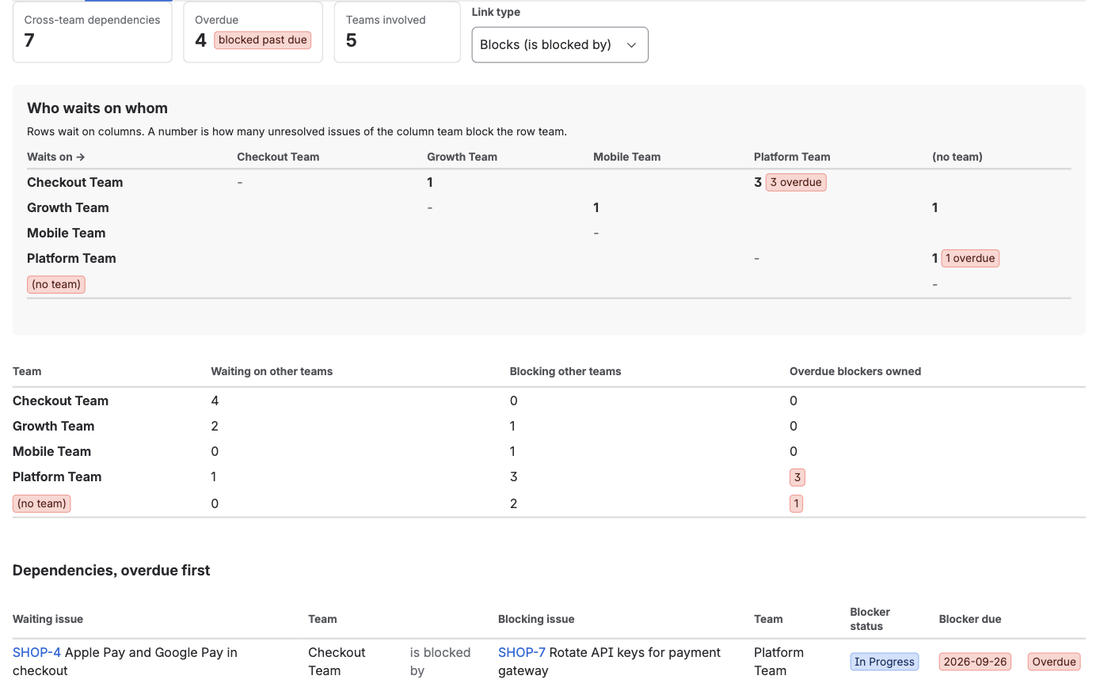
For the storefront manager, the Monday spreadsheet becomes one page. Checkout's blocked item is visible in the row; the Dependencies tab next to it shows that the blocker belongs to Platform and is three days overdue. The two unowned issues sit in the (no team) row, and the Hygiene tab has a paste-ready noTeam() query for the Automation rule that stops it happening again.
Everything is read live as the person viewing the report, so Jira permissions apply and nothing is stored anywhere. A scope is capped at 3,000 issues; add a JQL clause such as sprint in openSprints() to narrow it.
What the report does not do
It does not break a team down by person. Atlassian has not opened team membership to Marketplace apps (JRACLOUD-92072), so TeamLens shows team size, not names, and per-member workload inside a team is not available. It does not change Jira's native gadgets, and it is Jira Cloud only.
FAQ
Can I see workload for one team across several projects?
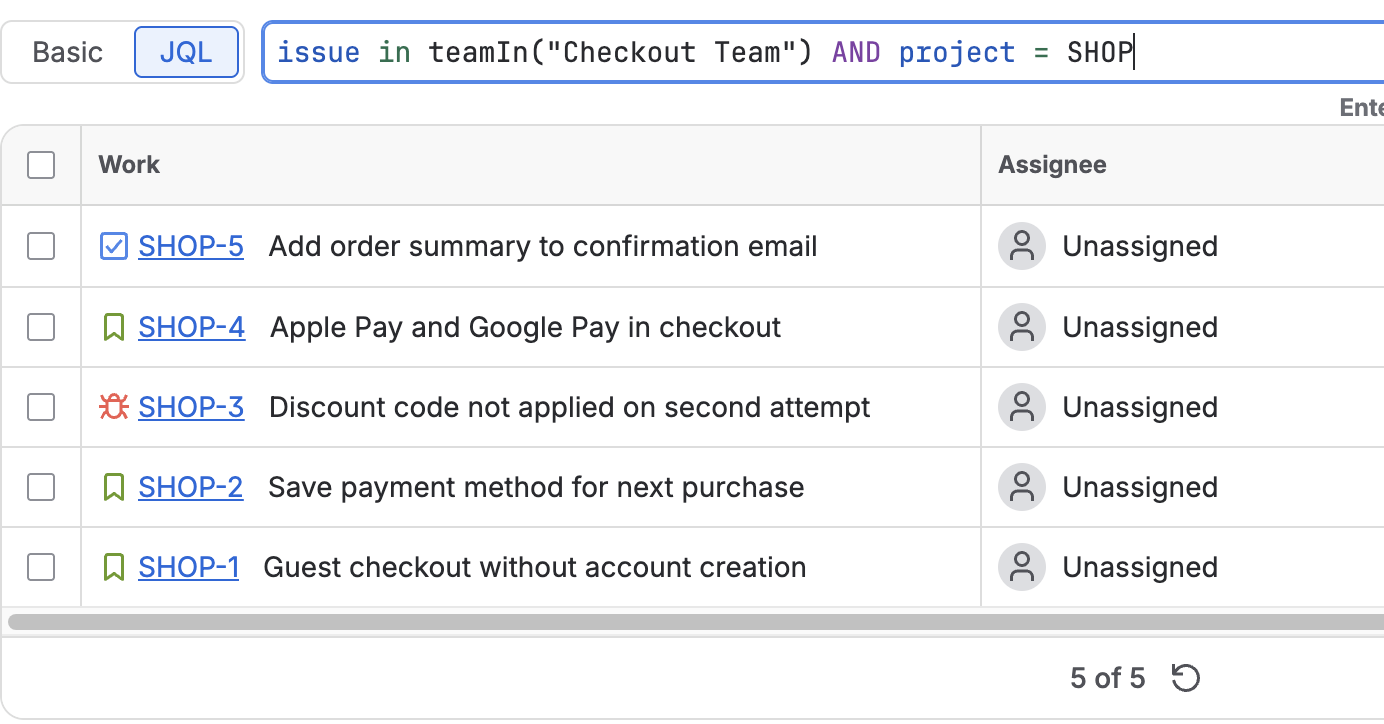
Yes. Add every project the team touches to the scope, then put issue in teamIn("Team Name") in the JQL box. The report shows that team's row built from all the projects together.
Does "blocked" require the Flagged field?
No. An issue counts as blocked if it is flagged or if its status name contains "block" (Blocked, Blocked by vendor, and so on). Sites that use a Blocked status without the flag are covered.
What does it cost?
TeamLens is free for sites with up to 10 users and USD 1 per user per month above that, billed by Atlassian with a 30-day trial. It is on the Atlassian Marketplace; the full report reference is in the Team reports documentation.
Sources
- JRACLOUD-87808, Team field not supported for sorting on gadgets, JQL or boards - the native gadget gap, open since 2020.
- JRACLOUD-87800, Two Dimensional Filter Statistics gadget to support Team type fields - the two-dimensional gadget gap.
- Teams in Jira projects, Atlassian Support - adding the Team field to project layouts.
- Team field in Jira REST API, Atlassian Developer - the field stores a team UUID, which is why JQL needs the id.
- Automation: Update the Team field based on the Assignee field, Atlassian KB - the mirror-field workaround.
- How do I group users/assignees on a Dashboard by team, Atlassian Community - the question this report answers, asked by admins.
- JRACLOUD-92072, Teams API for Marketplace apps - why per-member breakdowns are not possible yet.